
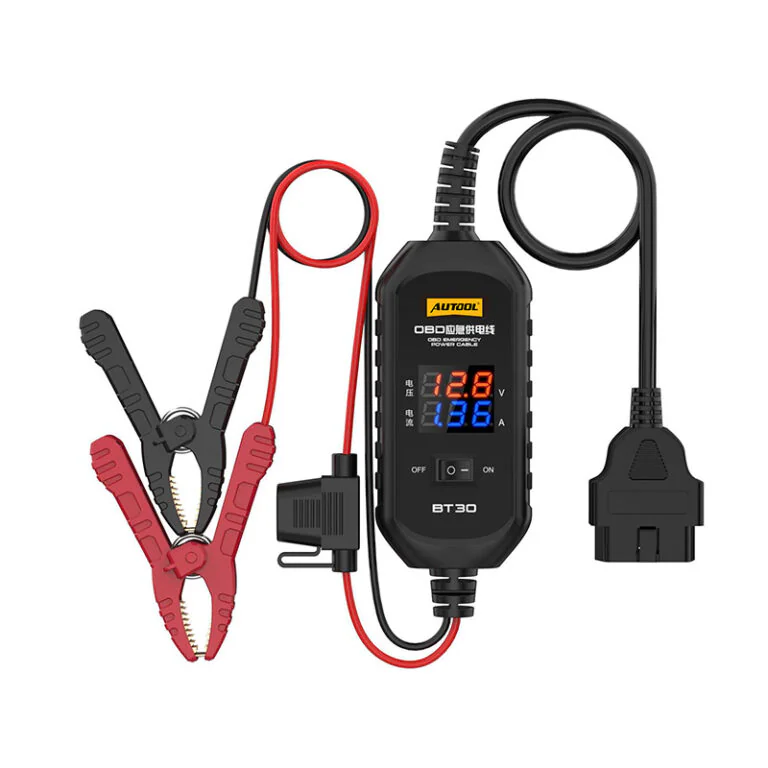




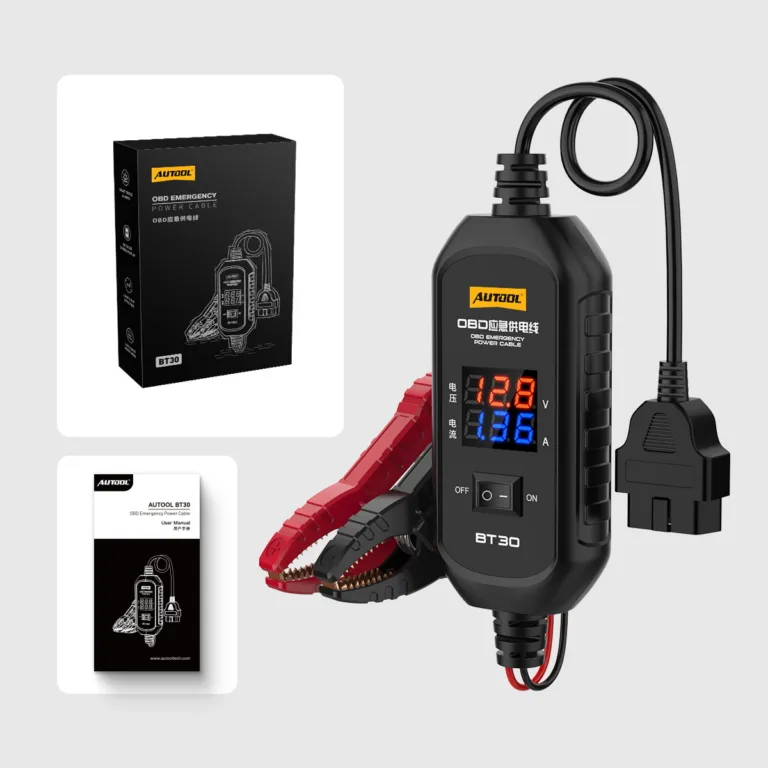








AUTOOL BT30 ECU Backup Power Cable
US$29.00
- Temporary OBD Memory Support
- 10–14 V Clamp Input
- 3 A Fused Protection
- Voltage + Current Display
- Temporary OBD Memory Support: Supply temporary backup power through the vehicle OBD interface during an approved 12 V battery replacement.
- 10–14 V Clamp Input: Connect a suitable 10–14 V source through the insulated battery clamps.
- 3 A Fused Protection: Protect the cable output with a built-in 3 A fuse, overcurrent, overvoltage, and reverse-polarity protection.
- Voltage + Current Display: Observe voltage and current changes on the integrated digital display.
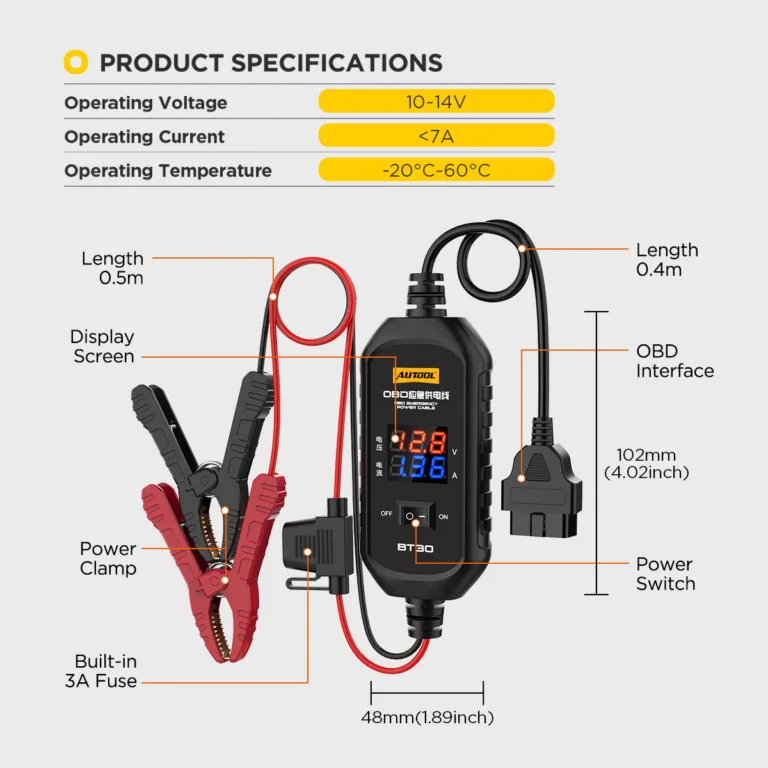
- 0.5 m + 0.4 m Leads: Reach the service connection with a 0.5 m clamp-side cable and 0.4 m OBD-side cable.
- Temporary OBD Memory Support: Supply temporary backup power through the vehicle OBD interface during an approved 12 V battery replacement.
- 10–14 V Clamp Input: Connect a suitable 10–14 V source through the insulated battery clamps.
- 3 A Fused Protection: Protect the cable output with a built-in 3 A fuse, overcurrent, overvoltage, and reverse-polarity protection.
- Voltage + Current Display: Observe voltage and current changes on the integrated digital display.
- 0.5 m + 0.4 m Leads: Reach the service connection with a 0.5 m clamp-side cable and 0.4 m OBD-side cable.
- 3-Year Warranty Main unit 3 years · Accessories 1 year
- 90-Day Returns Eligible returns within 90 days
- Official Store Genuine products · Direct support
AUTOOL BT30 · Fused OBD Memory-Saver Power Cable
Supply Temporary Backup Power During Battery Replacement
Maintain temporary vehicle memory during an approved 12 V battery replacement with a suitable 10–14 V backup source. A fused OBD connection and live voltage/current display help technicians monitor the temporary supply while following the vehicle procedure.
- 10–14 V Backup Source
- Live Voltage / Current Display
- Fused OBD Path
- 0.5 m Clamp + 0.4 m OBD Leads
- Temporary Memory Support

Key Features
Monitor Temporary 10–14 V Backup Power
Temporary ECU Backup Power During Battery Replacement
During vehicle battery replacement, BT30 supplies backup power through the OBD interface to help keep the ECU and vehicle electronic systems powered.
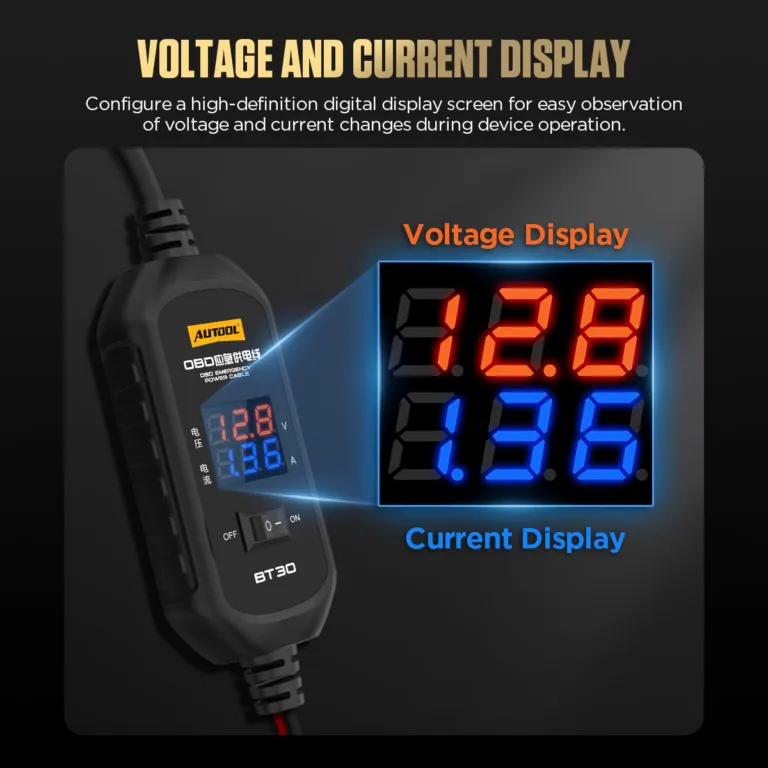
Voltage And Current Display
The high-definition digital display makes it easier to observe voltage and current changes while the device is operating.
Observe Static and Possible Leakage Current
After connecting an external 12V battery and disconnecting the original vehicle battery negative terminal, the current display can help observe vehicle static current and possible leakage current.
Built-In 3A Fuse Protection
BT30 uses a 3 A fuse for the cable and output circuit. Match the fuse type and rating to the supplied cable and holder; confirm the operating-current requirement with AUTOOL before ordering.
Multiple Electrical Protections
BT30 supports overcurrent protection, overvoltage protection, and reverse polarity protection to reduce risks caused by circuit faults or incorrect connection.
Insulated Clamp And Cable
The insulated cable, fully enclosed clamp design, pure copper clamp teeth, and thickened spring improve grip stability and safer handling.
10–14V Backup Supply
BT30 operates from a 10–14V source, with a 0.5m clamp-side cable and 0.4m OBD-side cable for the service connection.
ECU Power During Battery Replacement
Connected to a suitable spare battery and the vehicle OBD interface, BT30 supplies backup power during battery replacement to help keep vehicle electronics powered.
Service Boundary
Use only for approved temporary ECU/memory support during battery replacement. Do not use as a charger, jump starter, or programming supply.
Operating Temperature
Operating temperature: -20°C to 60°C.
3 Years Warranty Support
Main unit: 3-year warranty. Standard accessories: 1-year warranty. Warranty Policy.
How to Use
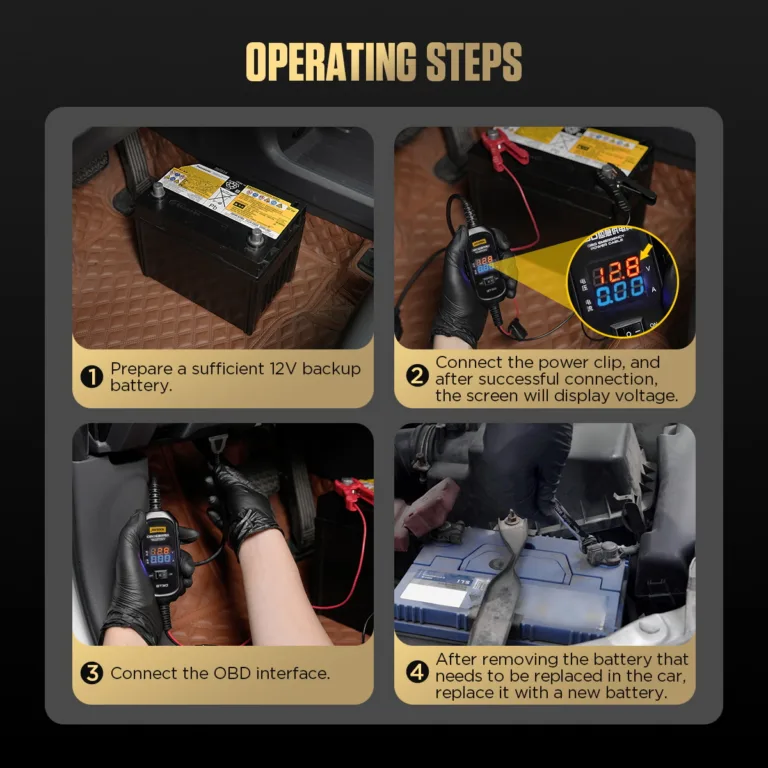
Connect Backup Power Before Battery Removal
Confirm The Procedure
Connect the red clamp to the positive terminal and the black clamp to the negative terminal. After correct connection, the screen displays voltage data.
Verify that the vehicle permits OBD backup power and identify settings or systems affected by battery replacement.
Prepare The Vehicle
Switch off loads, secure the vehicle, keep the replacement battery leads insulated, and inspect the BT30 fuse and cable.
Connect The Spare Source
Connect the clamps to a suitable 10–14 V source with correct polarity and confirm the display.
Connect The OBD Lead
Connect the BT30 OBD interface to the vehicle OBD port. After the OBD connection is successful, the screen can display current data under the correct test condition.
Seat the OBD connector and confirm stable support before disconnecting the main battery.
Replace And Disconnect
Complete the battery replacement without shorting loose terminals, reconnect the main battery securely, then remove BT30 in the specified order and verify vehicle functions.
Safety & Compatibility
Confirm the Source, Fuse and Vehicle Procedure
Vehicle Procedure First
Some vehicles restrict backup power through the diagnostic connector; follow the model-specific service information.
Not A Programming Supply
BT30 is not specified for voltage-stabilized ECU flashing or programming.
No Jump Starting Or Charging
Do not use the lead to crank the engine or charge a battery.
3 A Fused Path
Do not bypass the fuse or power loads beyond the backup-memory purpose. Replace a blown fuse only with the exact type and rating specified by the delivered manual and fuse holder; do not substitute 5 A based on generic advice.
Prevent Terminal Shorts
Keep disconnected main-battery leads isolated while backup power is present.
Monitor Backup Current
Use the current display to monitor the temporary backup connection during battery replacement.
Pre-Use Requirements
Review the battery, sleep mode, key distance, current display, fuse replacement, and storage requirements before using BT30.
Spare Battery Requirements
Use a fully charged 12V spare battery.
Do not use a low-voltage battery; if the device alarms immediately, replace it with a battery above 12V.
Battery Replacement Safety
During battery replacement, keep the vehicle power switch OFF and do not turn on electrical appliances.
Correct Fuse Replacement
If the fuse blows, replace it with a 3A or 5A fuse only.
Replace a blown fuse with the exact type and rating specified for the supplied BT30 cable and fuse holder.
Dry Storage Conditions
Store the product in a dry place and avoid hot, humid, or non-ventilated storage.
Specifications
Voltage, Fuse and Current Fields
Old Version
Old Version — ECU backup power / No display
New Version
New Version — Voltage/current display / Leakage check / Circuit protection
| Specification | Value |
|---|---|
| Supply | DC 10–14 V |
| Fuse | 3 A; confirm the rating marked on the supplied cable and fuse holder. For applications requiring the separate <7 A working-current specification, confirm the correct version with AUTOOL. |
| Display | Voltage and current |
| Purpose | Temporary ECU/memory support during approved battery replacement |
Manual & Support
Confirm the Fuse, Source and Vehicle Procedure
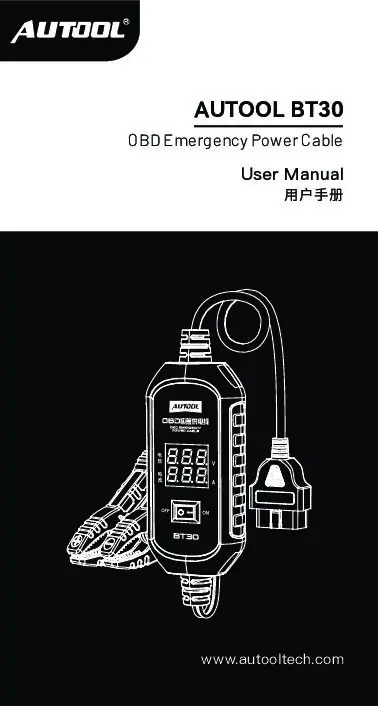
AUTOOL BT30 User Manual
Open the PDF manual for BT30 backup-source connection, OBD power delivery and voltage monitoring, with fuse protection, battery-service safety and troubleshooting support.
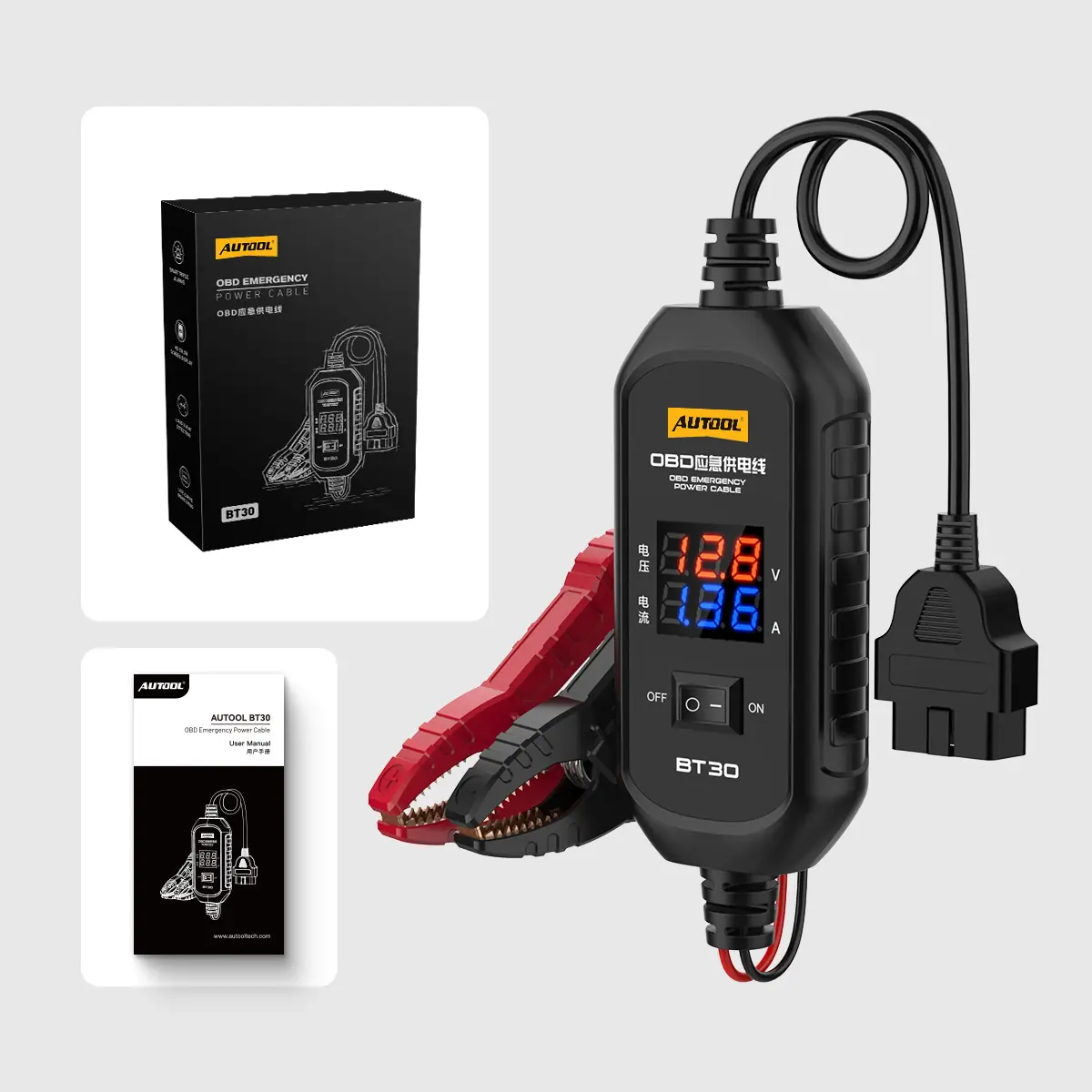
Package Contents
Check the Cable, Fuse and Included Parts
- BT30 CableIntegrated OBD connector, display, battery clamps, and 3 A fuse.
- User Manual And BoxDocumentation and retail package.
- Included ComponentsThe package image shows the BT30 product box, user manual, and main OBD emergency power cable.
- Main UnitAUTOOL BT30 OBD emergency power cable
- Cable / ClampIntegrated power clamp and OBD interface
FAQs
Backup-Power and Battery-Replacement Questions
Why Does The Alarm Trigger And Blow The Fuse During Use?
Before use, make sure the vehicle is in sleep mode and keep the car key at least 3 meters away from the vehicle. This helps prevent the high-current alarm from being triggered. The fuse on BT30 will only blow when high current passes through the device.
Why Is There No Current Display?
After connecting an external 12V battery, disconnect the negative terminal of the original vehicle battery. This allows the load current to be displayed. Treat the displayed current as a screening observation under the stated setup, not a complete parasitic-draw diagnosis.
What Should I Do If The Fuse Blows?
If the fuse opens, stop and check the connection. The replacement must match the type and rating marked on the supplied fuse holder; never exceed 5 A. If the marking is unclear, confirm the correct fuse with AUTOOL before replacement.
Why Does The Device Beep As Soon As It Is Connected To The Vehicle Battery?
The beeping alarm may occur because the battery voltage is too low. Replace the battery with one that has a voltage greater than 12V.
Why Doesn’t The New Device Power On After Connecting To The Battery?
Check whether the connected battery is a vehicle battery. If a jump starter or power bank charger is connected, the device will not power on. Replace it with a vehicle battery for proper power supply.
Can BT30 Power ECU Programming?
No. It is a temporary battery-replacement memory-support cable, not a regulated programming power supply.
No reviews yetBe the first to share your experience with this product.