




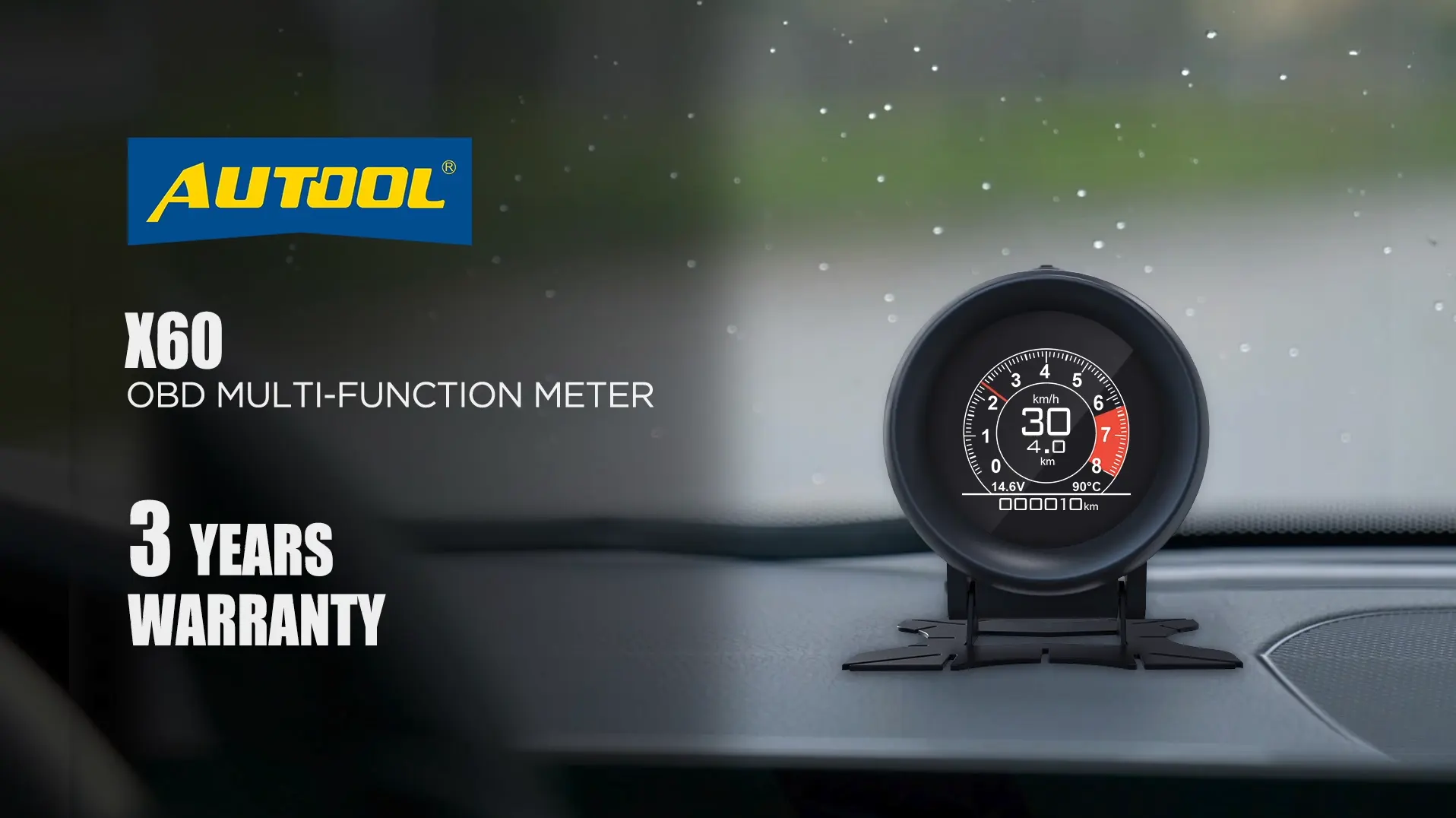
Some customers ask how to change speed units for monitors like the AUTOOL X60, especially when converting MPH to KM/H. This guide keeps the original image-based walkthrough and organizes the steps so they are easier to follow.
Other DIY series monitors use operations similar to the X60, so the same general reference may help when adjusting speed units on related AUTOOL monitor products.
MPH to KM/H question
Changing speed units on the AUTOOL X60 OBDII multi-function meter#
Some customers ask how to change speed units for monitors like the X60. The screenshots below answer this question step by step.
Use the images below as the visual guide for converting MPH to KM/H on the AUTOOL X60 OBDII multi-function meter.
X60 screenshots
Follow the five X60 images in order#
Five images show the conversion process. Keep them in order when checking the operation.
X60 step image 1
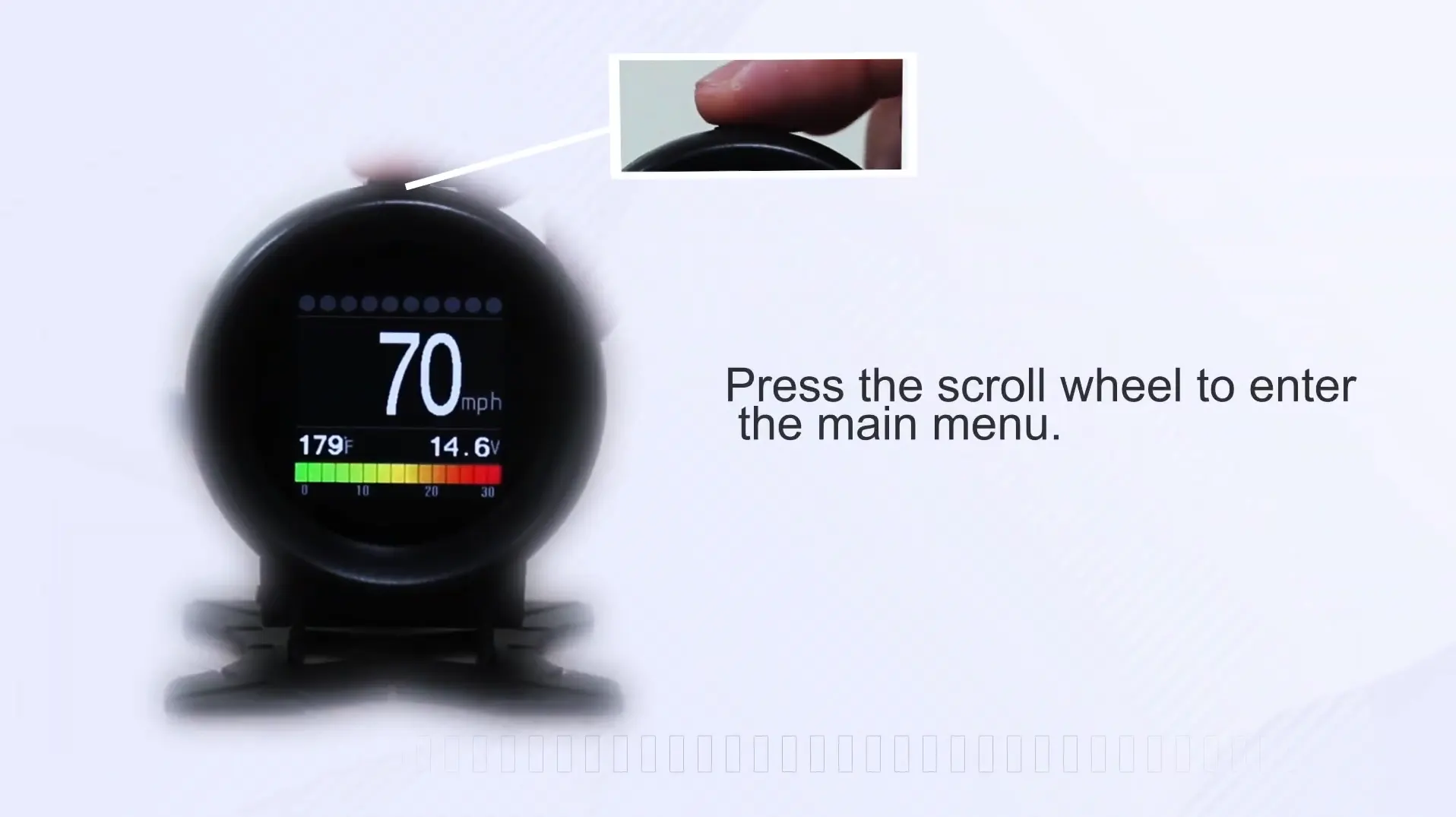
X60 step image 2
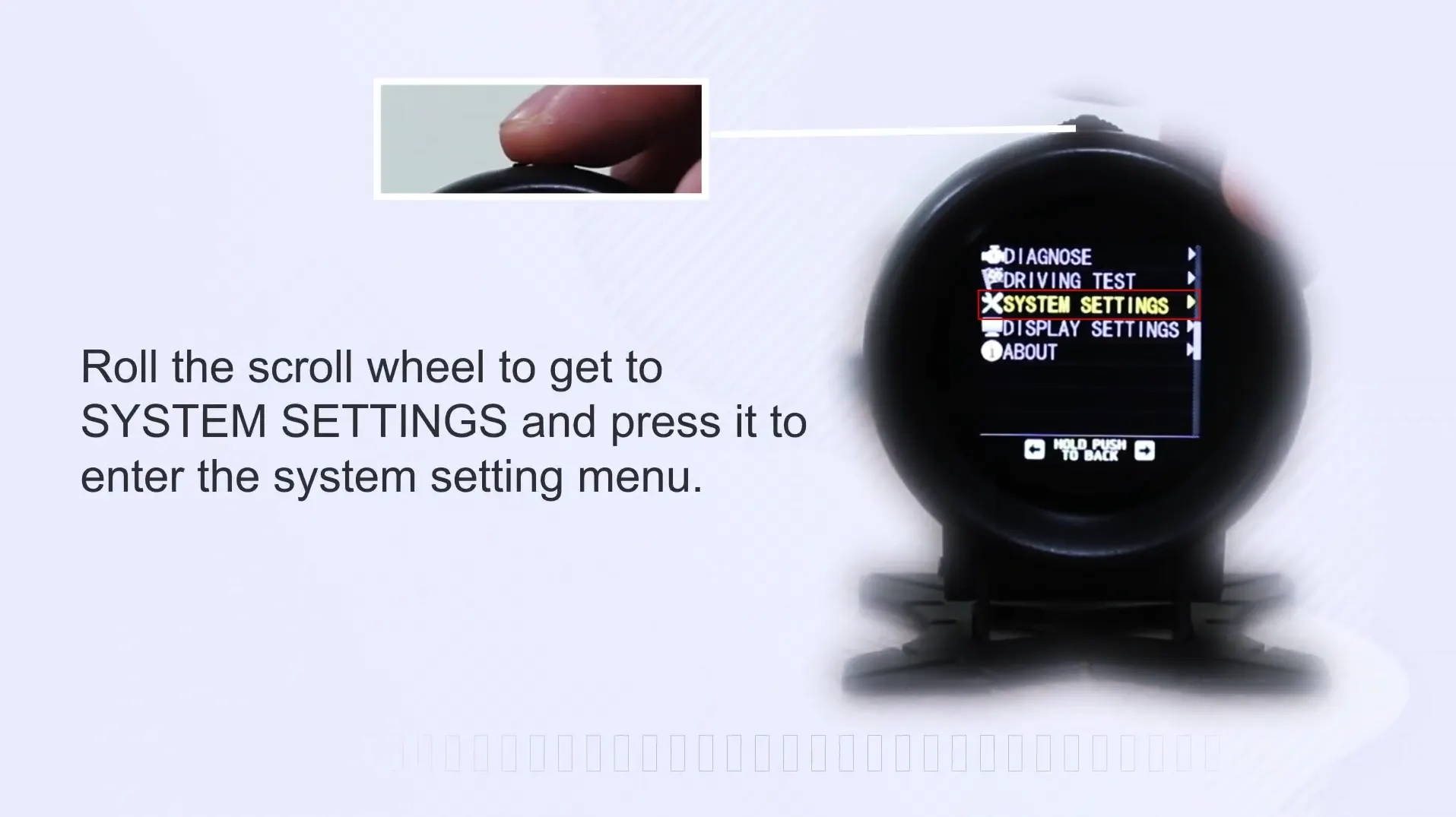
X60 step image 3
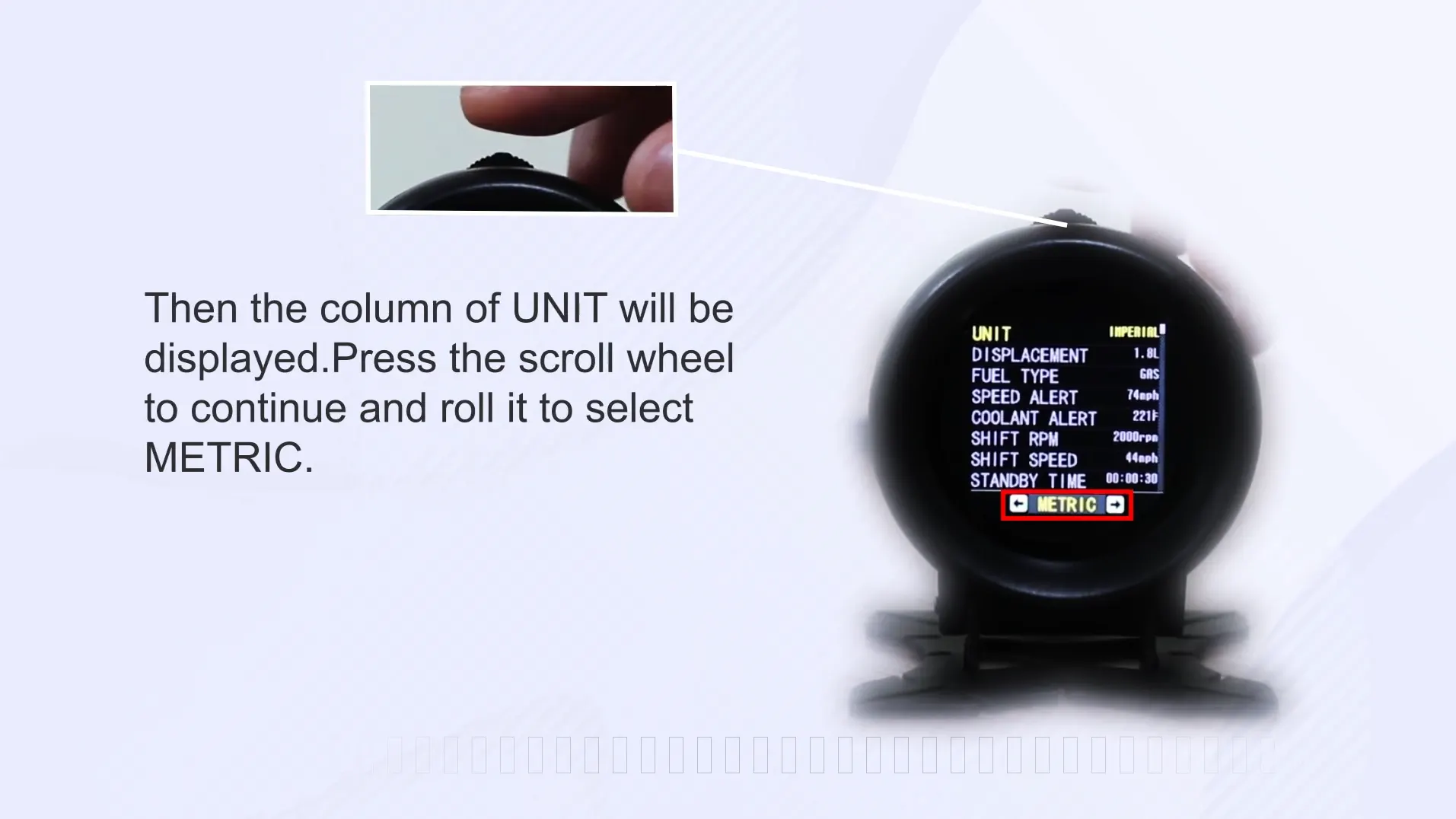
X60 step image 4
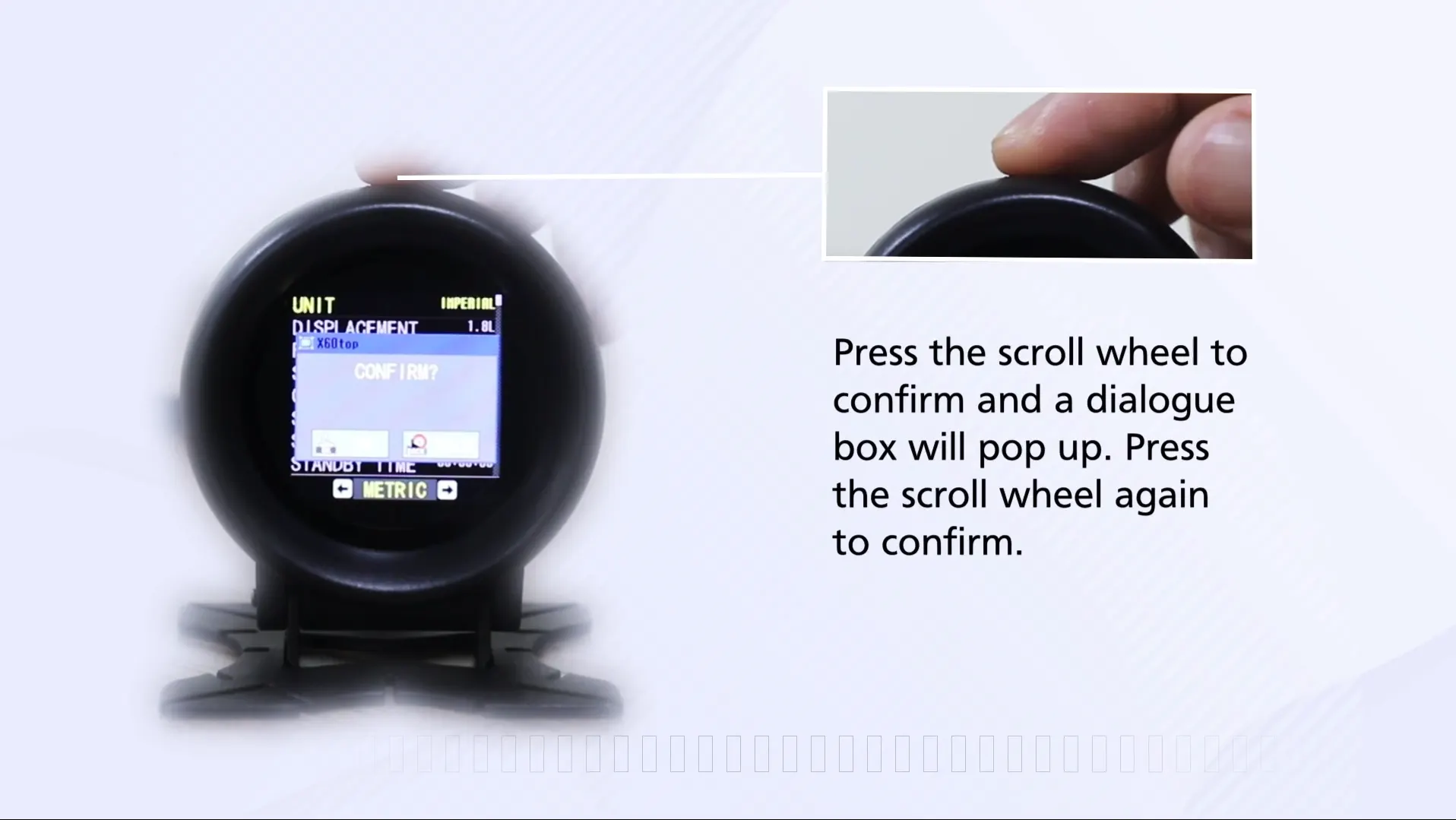
X60 step image 5
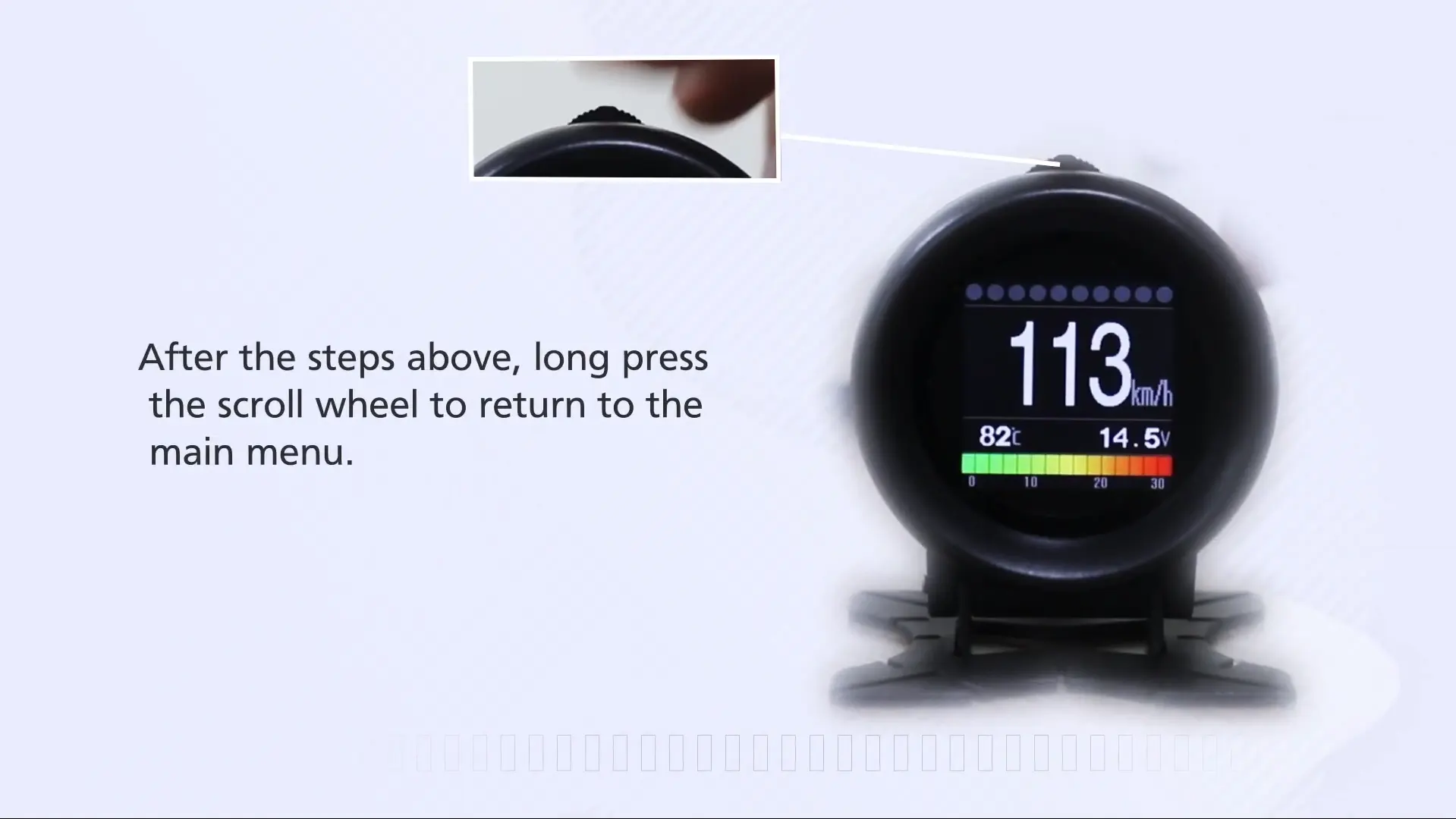
DIY monitor series
Other DIY monitors use similar operation logic#
Other DIY series monitors are similar to the operation of X60. If you use a related AUTOOL monitor, the X60 operation flow may still be useful as a reference.
Official YouTube channel
Follow the official channel for more videos#
If you want to see more product videos, please follow the official YouTube channel.
Use the X60 screenshots as the unit-conversion reference#
The original X60 guide is a short visual walkthrough for changing speed units from MPH to KM/H. The five screenshots are the core of the tutorial, and other DIY series monitors use a similar operation approach.



Discussion
Comments 0
Need help with an order, warranty or a fault? Contact support
No comments yet. Ask a question or share how the tool worked for you.