Tips & Tutorials
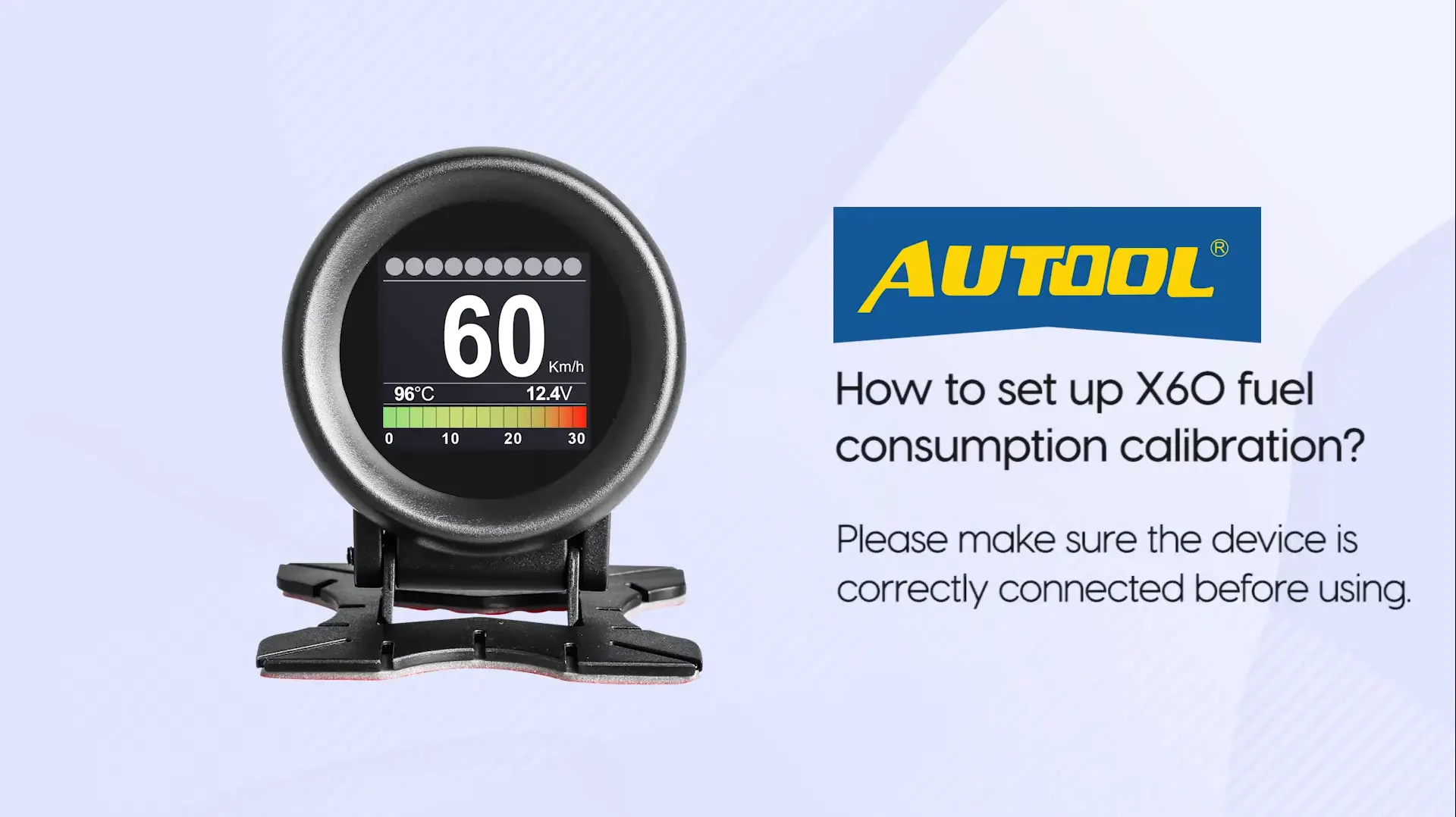
How to set X60 Fuel Consumption Calibration?

August 3, 2021
Share:
 autoolstore.com
A few customers may find errors in fuel consumption when using the X60. The reason can be simple: fuel consumption calibration has not been set.
This guide keeps the original four-step screenshot walkthrough and shows how to enter the system settings, choose CONSP.CALIB, adjust the value, and confirm the setting.
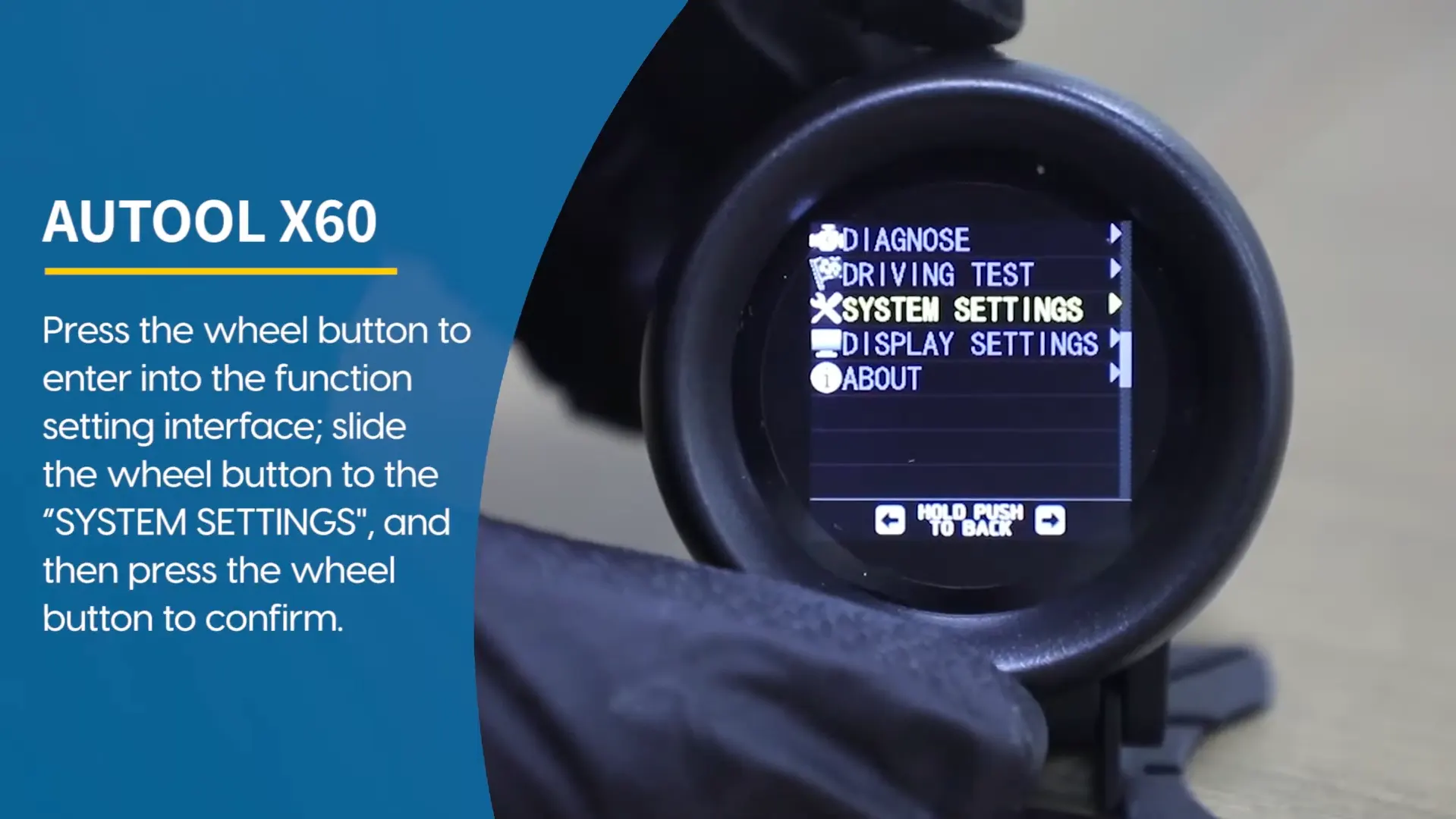
First step
First, click into the system settings. This is the starting point for adjusting fuel consumption calibration on the X60.
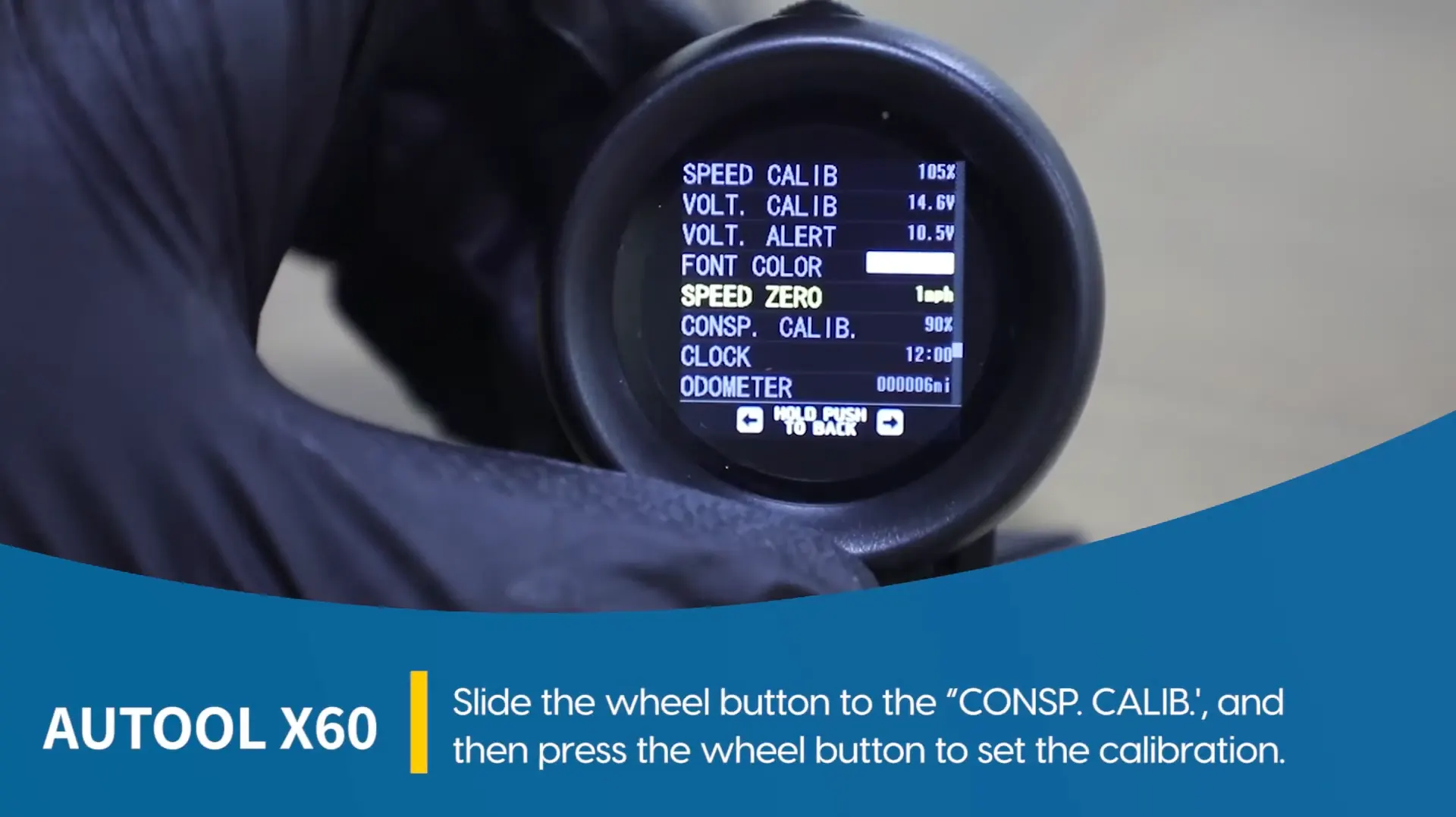
Second step
Second, choose to enter CONSP.CALIB. This is the calibration menu used to adjust the fuel consumption display.
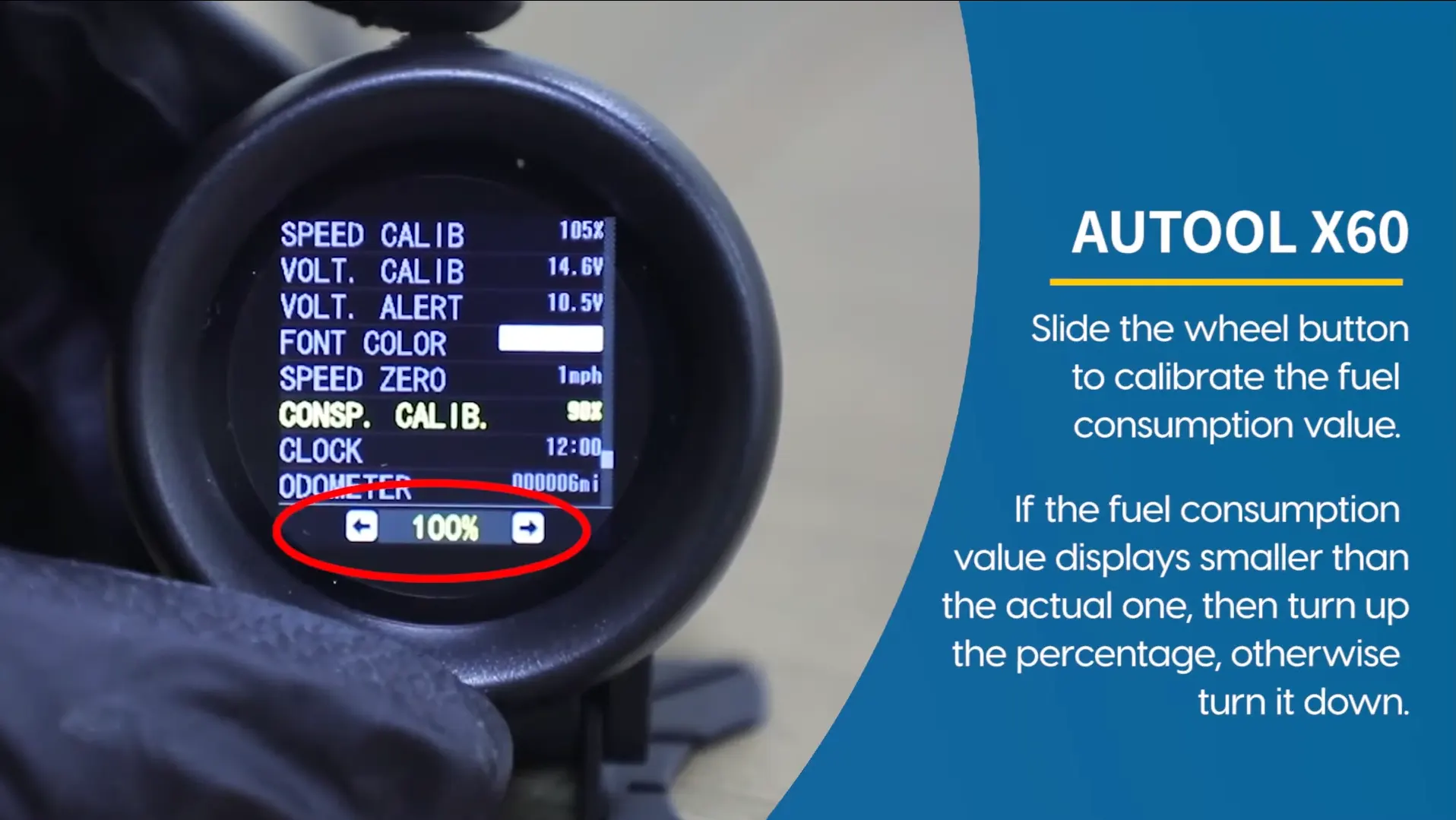
Third step
Third, slide the wheel button. Use the image as the operation reference for adjusting the calibration value.
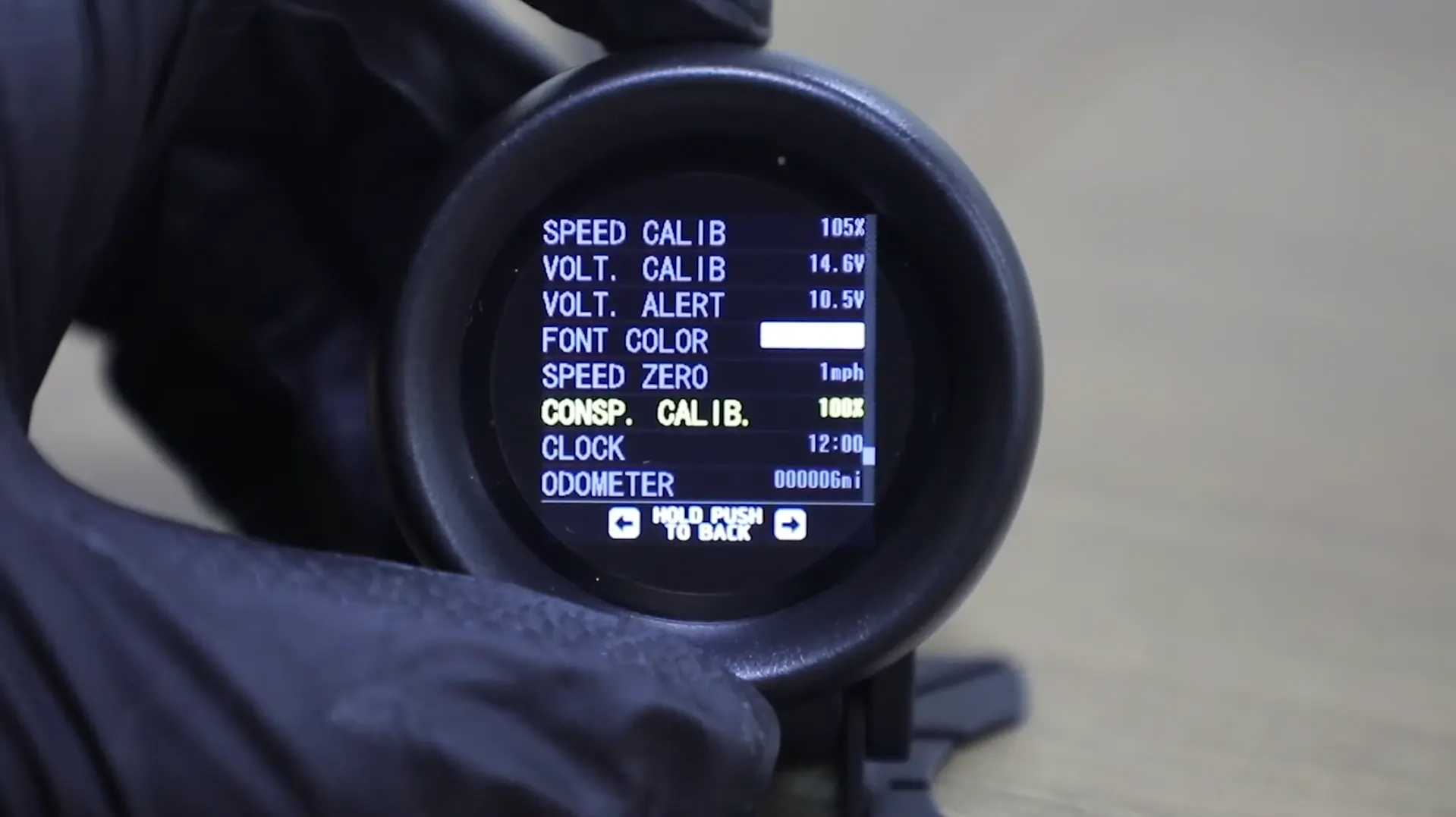
Final step
Finally, click to confirm. After confirmation, the fuel consumption calibration setting is done.
The specific operation video is available through the original link below. For more video tutorials on product use, please follow the official YouTube channel.
If the X60 shows fuel consumption errors, check whether fuel consumption calibration has been set. The original process is: enter system settings, choose CONSP.CALIB, slide the wheel button, then click to confirm.
Related Products
Rendered through WooCommerce product shortcode so the cards inherit the product-card structure used by the reference post style.