
語言和貨幣
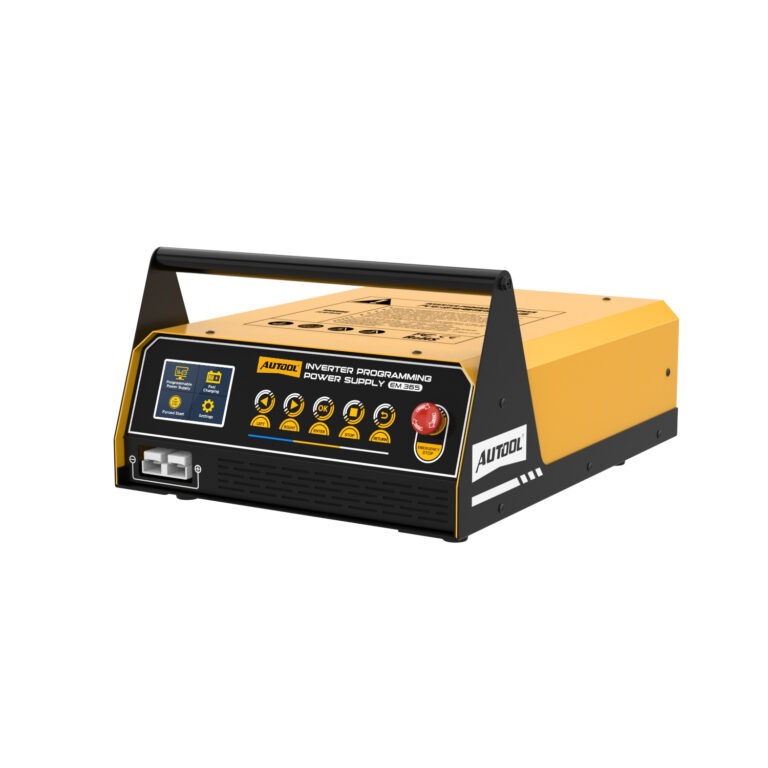








AUTOOL EM365 ECU編程電源與電池充電器
US$550.00
主要特色
- Adjustable / Fixed 14 V Programming
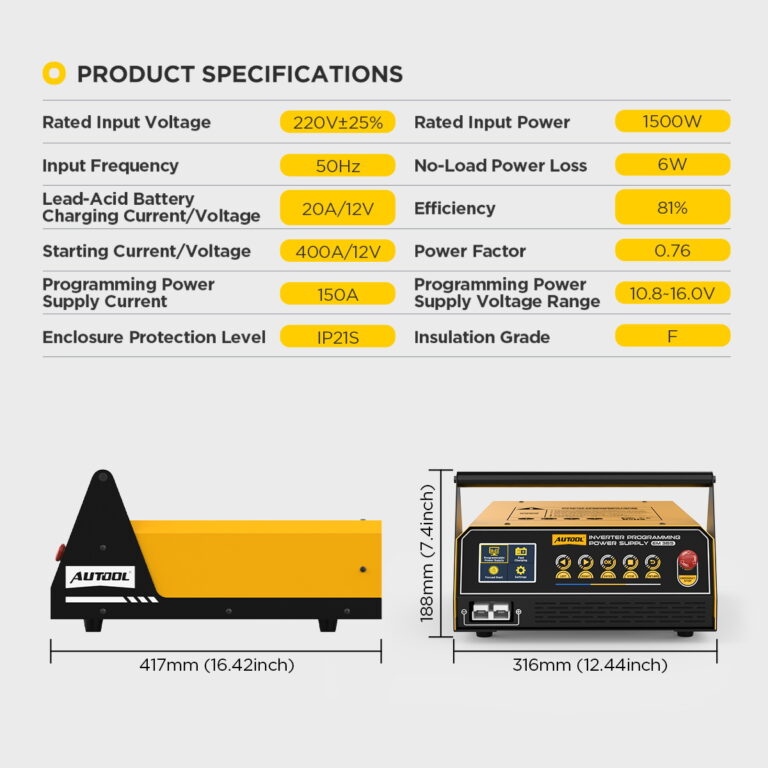
- 150 A for Approximately 3 Minutes
- 400 A / 12 V Start Support
- Up to 20 A Lead-Acid Charging
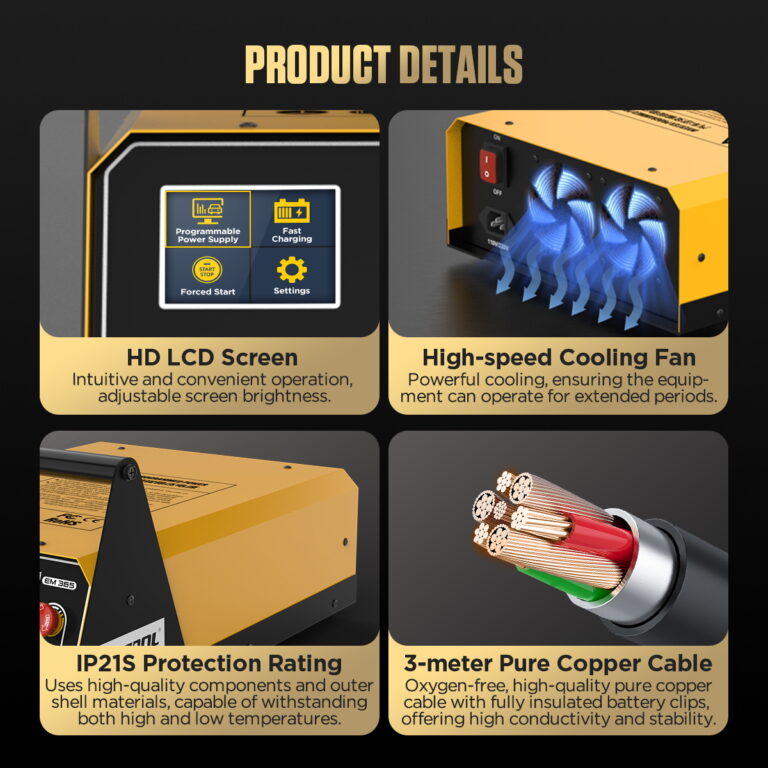
- Adjustable / Fixed 14 V Programming: Select an adjustable programming voltage or fixed 14 V while monitoring voltage and current on the 2.8-inch color display.
- 150 A for Approximately 3 Minutes: Programming output reaches up to 150 A for approximately 3 minutes, with thermal protection reducing available current as the unit heats.
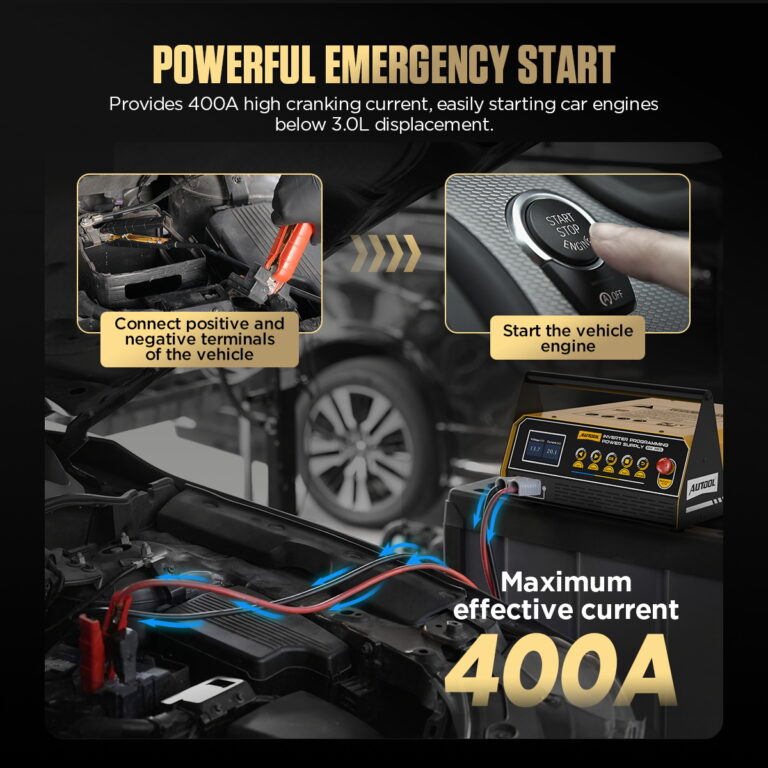
- 400 A / 12 V Start Support: Provide 400 A / 12 V momentary starting support for a compatible vehicle.
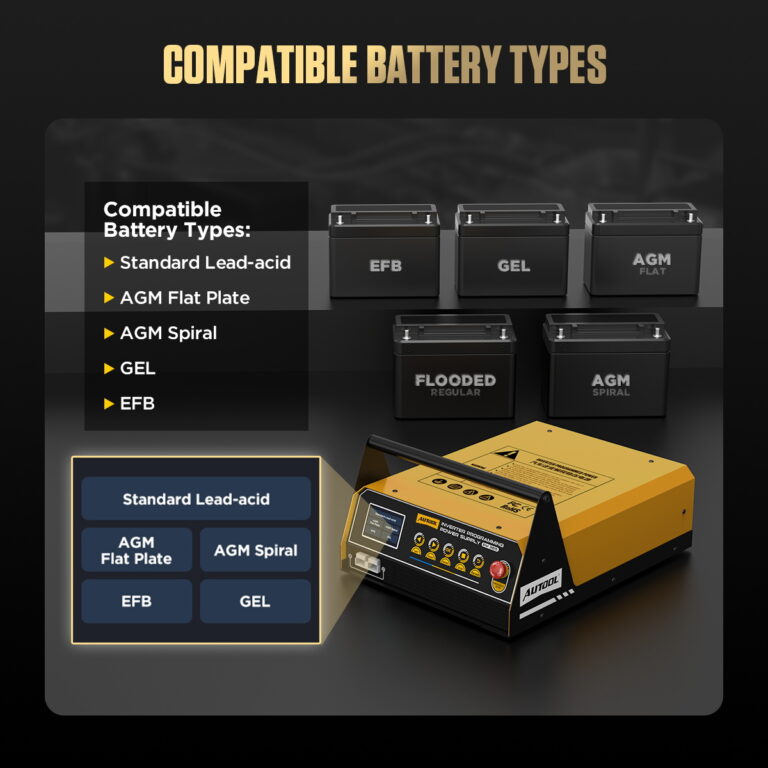
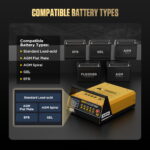
- Up to 20 A Lead-Acid Charging: Charge standard lead-acid, AGM flat plate, AGM spiral, or GEL batteries at up to 20 A; EFB uses External Charging with the battery removed.
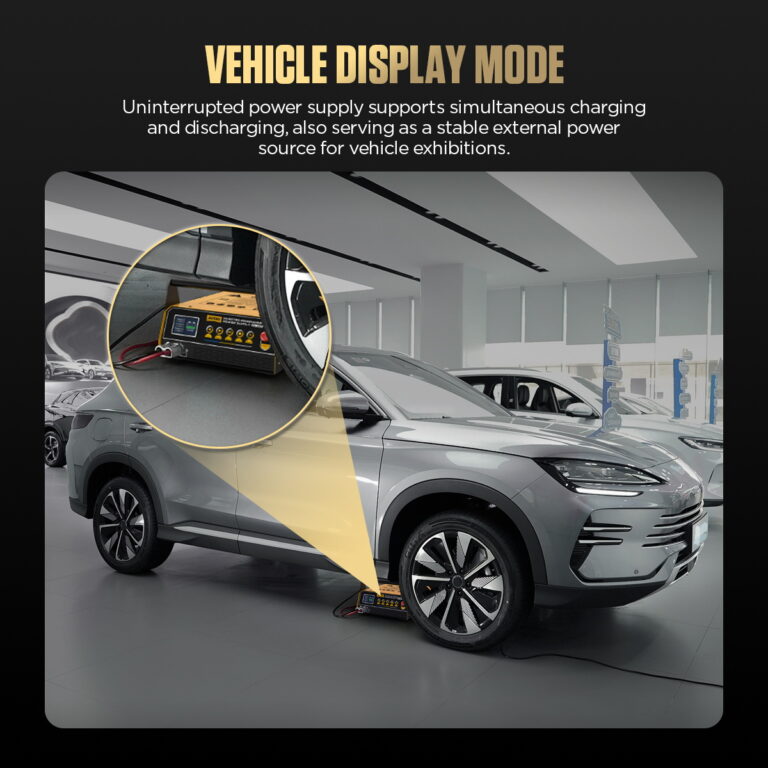
- Up to 40 A Vehicle Display Support: Use the dedicated vehicle display setting for float-charge support, with up to 40 A available as battery discharge rises.
- 3 年保用期 主機保固 3 年,配件保固 1 年
- 90日返回 符合條件的退貨可在 90 天內進行
- 官方店鋪 正品 · 直接支持
AUTOOL EM365 · ECU Programming Power Supply, Charger & Start Support
Cover Programming and Workshop Power Tasks
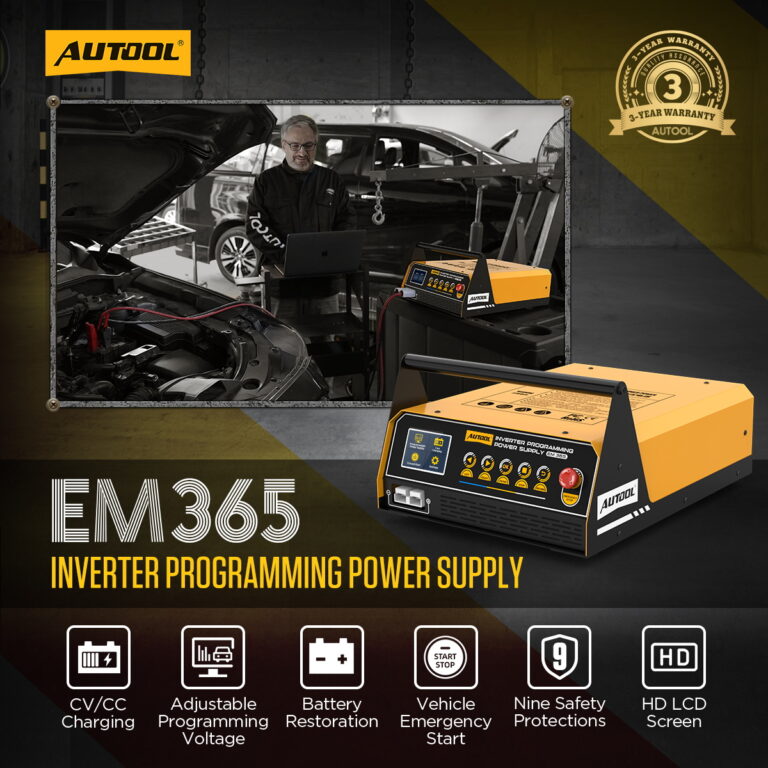
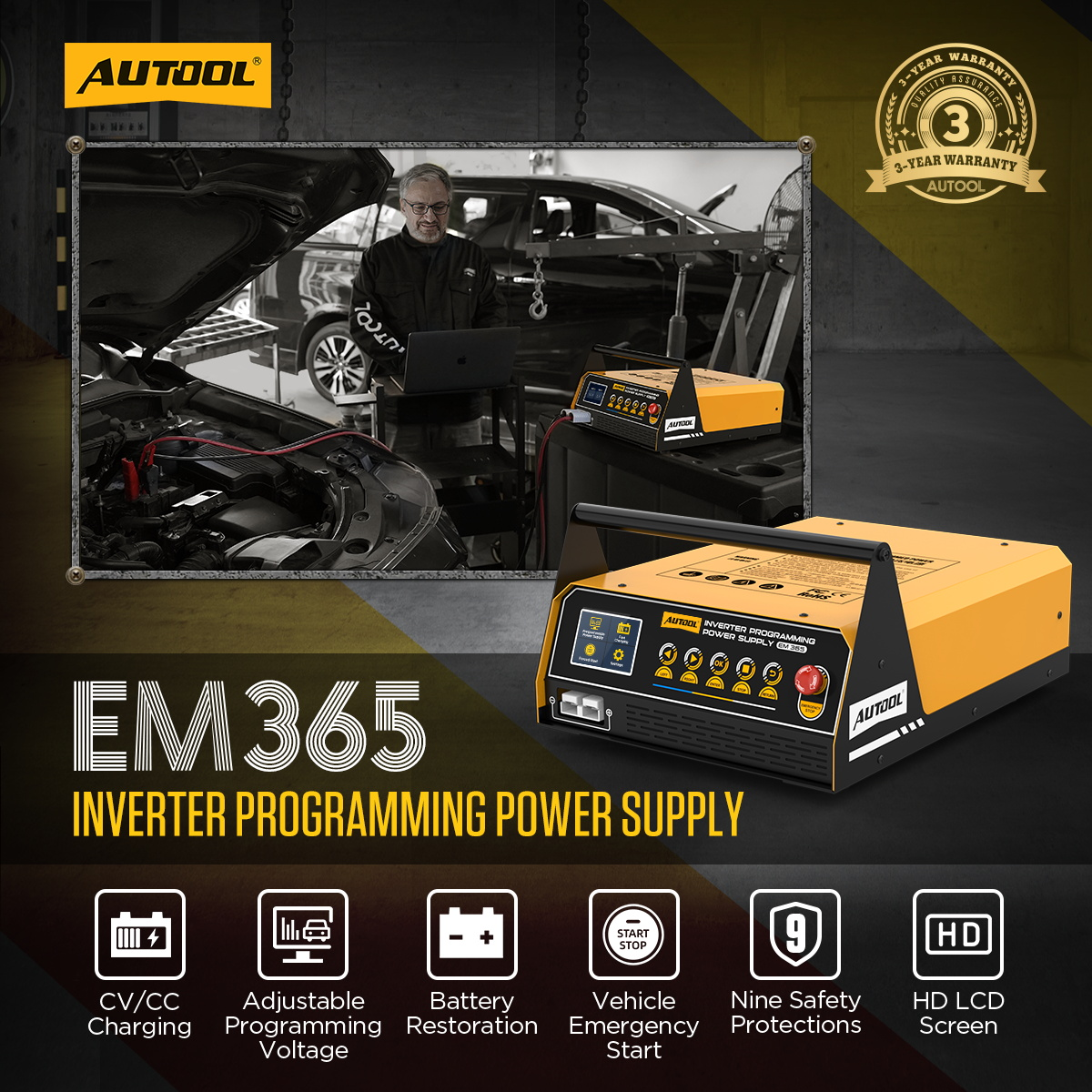
这 AUTOOL EM365 brings ECU programming power support, intelligent battery charging, battery restoration, vehicle display power, and momentary starting support into one workshop unit. Select adjustable or fixed programming voltage, monitor output on the 2.8-inch color display, and use a dedicated mode for each task—from battery care between jobs to powering vehicle displays.
- Programming Supply Mode
- Up to 150 A for About 3 Minutes
- 20 A Lead-Acid Charging
- 40 A Vehicle Display Mode
- 400 A Momentary Start
主要特色
Select the Right Mode for Each Power Task
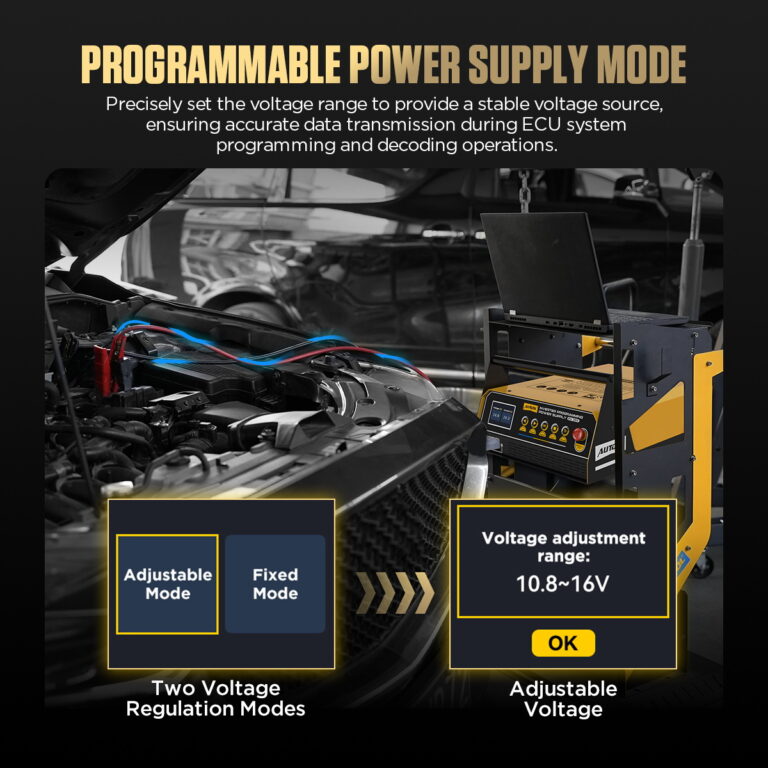
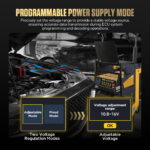
Choose Adjustable Or Fixed Programming Voltage
Programming Power Supply mode lets you adjust voltage for the vehicle procedure or choose fixed 14V mode. Use the EM365 for battery power support while your separate programming tool performs the ECU work.
Follow Voltage And Current During The Job
The 2.8-inch color LCD displays output voltage and current. Programming output reaches up to 150A for approximately 3 minutes; thermal protection reduces available current as the unit heats up.
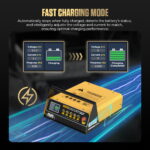
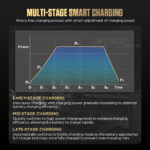
Intelligent Charging With Visible Progress
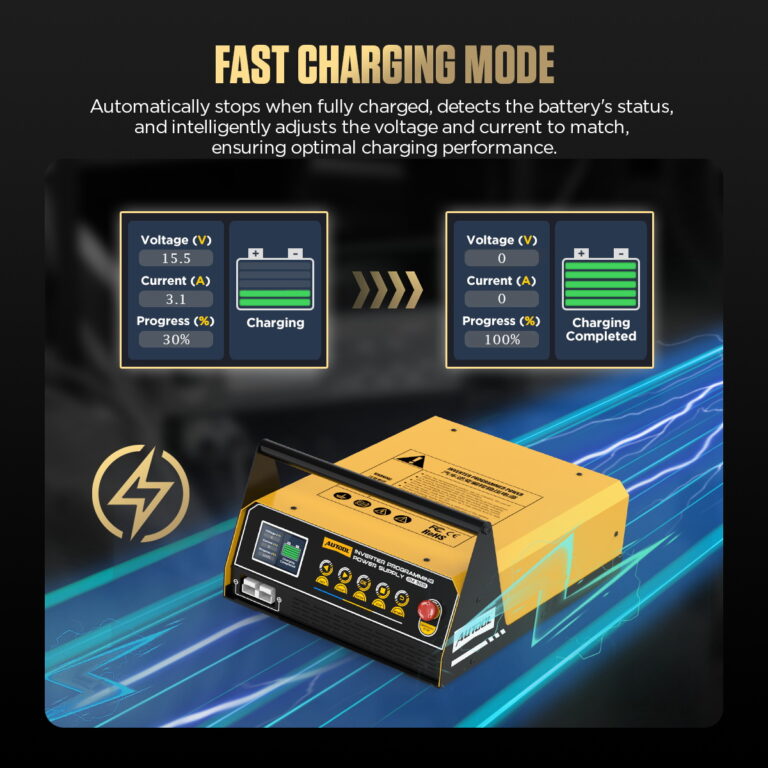
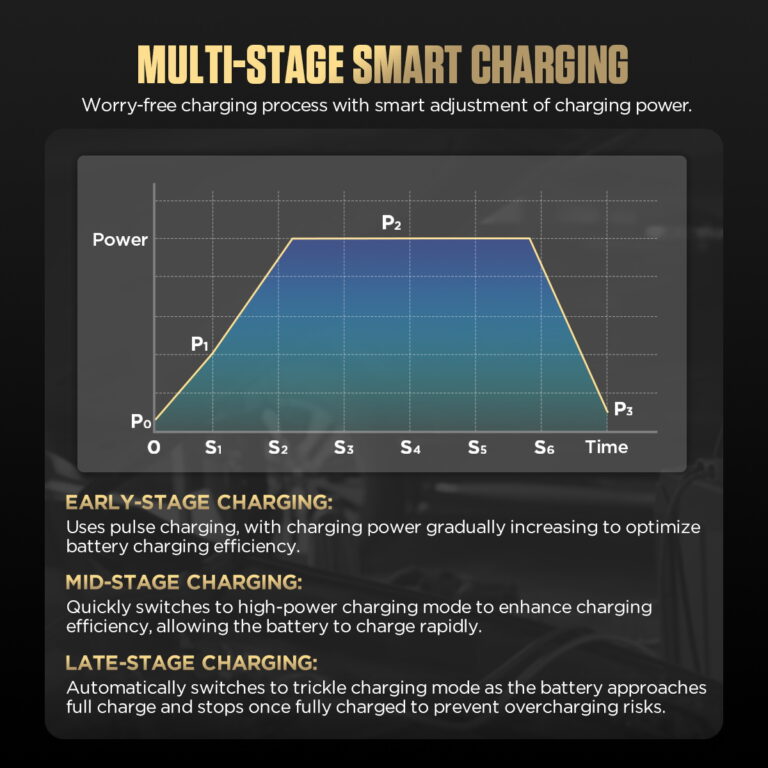
In Fast Charging mode, the EM365 works as an automotive battery charger that adjusts voltage and current as charging progresses. The screen shows voltage, current, charging progress, and completion so battery service is easy to follow between workshop jobs.
Battery-Type Selection For Lead-Acid Charging
The lead-acid battery charger supports standard lead-acid, AGM flat plate, AGM spiral, and GEL settings. Select the type that matches your battery. For EFB, use External Charging with the battery removed from the vehicle.
40 A Vehicle Display Support
Vehicle Display Mode maintains a float charge and increases output when battery discharge is detected, with up to 40A available in this mode. Use this dedicated setting for vehicle display tasks that need battery support.
Momentary Starting Support
Forced Start provides 400A/12V momentary starting support for a compatible vehicle. Select the mode and follow the on-screen start prompt; match it to the vehicle’s starting requirements.
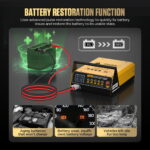
A Separate Battery Restoration Mode
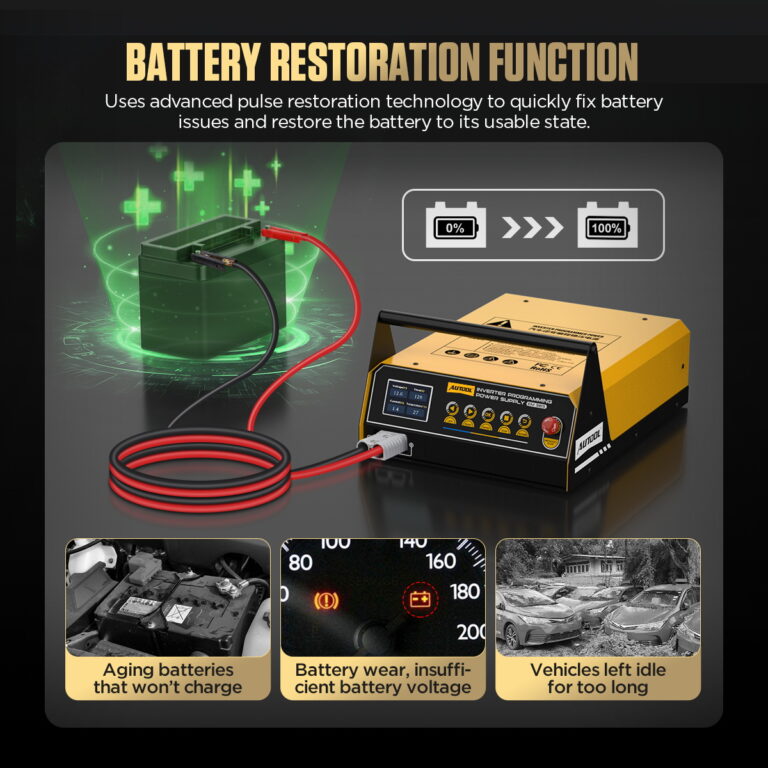
Treat discharged or long-idle lead-acid batteries through Battery Restoration. Remove the battery from the vehicle first; recovery depends on the battery’s condition and degree of sulfation.
Readable Controls For Everyday Use
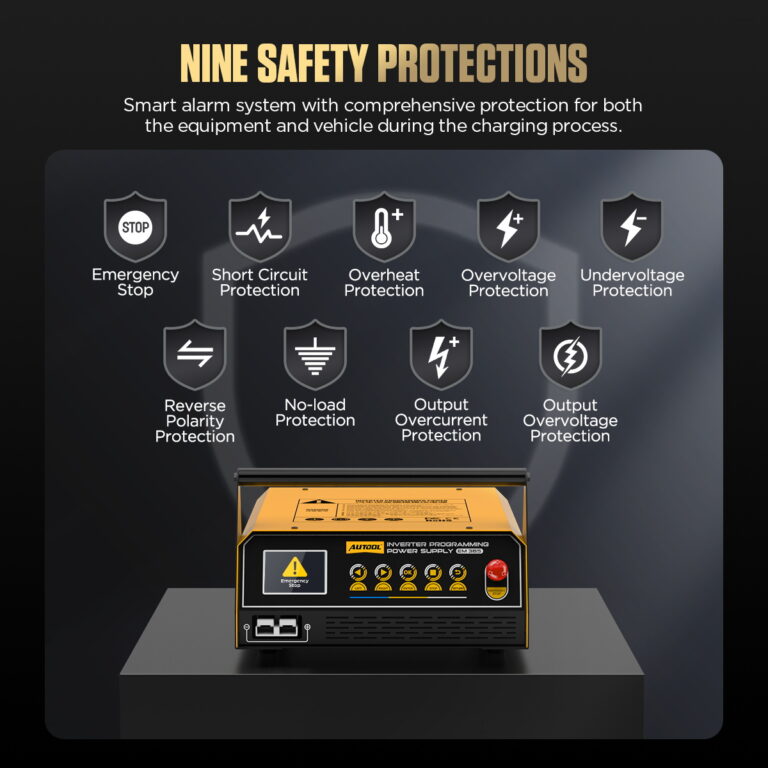
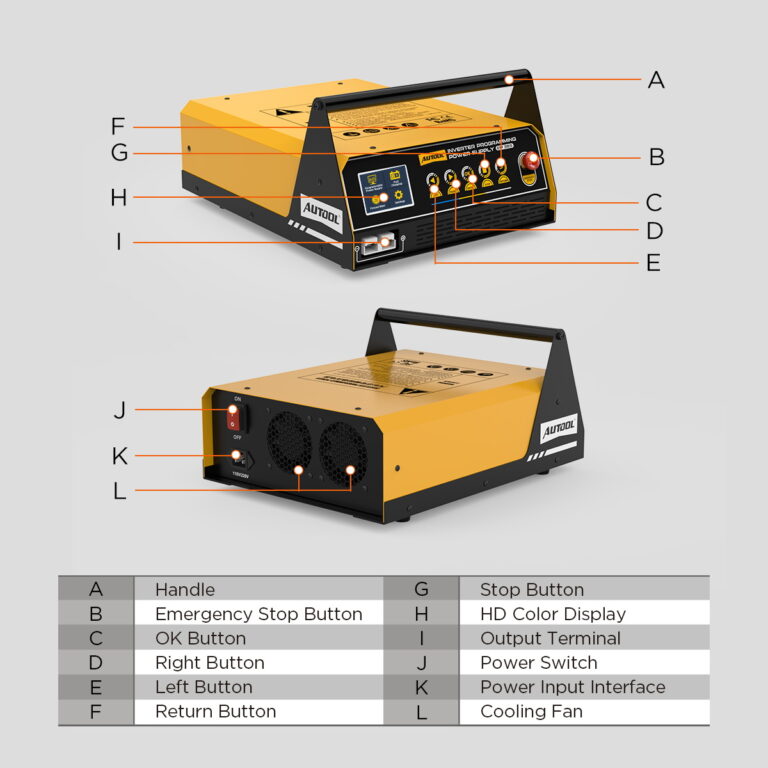
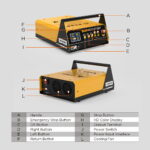
Physical buttons, adjustable screen brightness, and selectable interface languages help operators work through modes and settings. The cooling fan, emergency stop, and output protection functions support day-to-day use.
測量功能
Use the built-in display to monitor output while setting up the selected programming, charging, display-power, or start-support task.
3年保固支持
主機:三年保固。標準配件:一年保固。保固政策。
如何使用
Select, Connect and Monitor the Power Mode
步驟進展1 / 6
01
準備車輛
Step 1 Check the vehicle procedure for its required support voltage and make sure the 12V battery is fully charged before programming.
02
Connect The Power Supply
Step 2 Use the correct, grounded AC supply for your unit and keep the ventilation clear. Follow the manual’s connection prompts, with red to battery positive and black to negative.
03
Select Programming Power
Step 3 Use the arrow keys to select Programmable Power Supply, press OK, and follow the battery and connection prompts.
04
Set The Output Voltage
Step 4 Choose Adjustable Mode and set the voltage required by the vehicle procedure, then press OK. Fixed Mode supplies 14V when that setting suits the job.
05
Run And Monitor The Job
Step 5 Confirm the displayed voltage and current, then carry out the vehicle procedure with your programming tool. Keep the power supply operating and monitor its readings until the procedure is complete.
06
Finish Before Changing Modes
Step 6 After the vehicle procedure is complete, stop output using the unit’s controls before changing settings or moving to another task. Follow the manual and vehicle procedure when disconnecting.
安全性和相容性
Match Battery Chemistry, Voltage and Task
Choose The Battery Type
Use the correct charging option for the battery label. EFB charging and Battery Restoration require the battery to be removed from the vehicle. This model supports the listed lead-acid battery types.
Match The Vehicle Procedure
For programming, start with a fully charged 12V battery and set the support voltage required by the vehicle procedure. Use the supplied manual to match the unit’s AC input version and connections.
Keep The Unit Ready To Work
Keep ventilation openings clear and use the unit in a dry, ventilated location. Stop output before changing settings; when ending charging, stop charging before removing the clamps.
Verify Polarity and Clamp Contact
Connect the clamps with correct polarity on clean, secure terminals before enabling output; stop output before removing them.
Size the Programming Session
Confirm that the selected mode, voltage range and available output match the vehicle procedure and expected transient load for the full programming event.
模型比較
Choose the Required Power-Support Modes
模型指南
Choose one or more models. EM365 is selected by default.
已選擇 1 個模型
未選擇任何型號。請選擇一個型號進行比較。
| 產品描述* | EM355 | EM365 | EM385 |
|---|---|---|---|
| Power Input, Protection & Hardware | |||
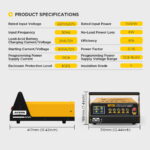
| 交流輸入版本 | 110V or 220V version | 110V or 220V version | 110V or 220V version |
| 輸入頻率 | 50Hz / 60Hz | 50Hz / 60Hz | 50Hz / 60Hz |
| 額定輸入電流 | |||
| 電纜長度 | 2m | ||
| High-Speed Cooling Fan | ✓ | ✓ | ✓ |
| 輸出保護 | Reverse polarity; short circuit; overcurrent; temperature protection | Reverse polarity; short circuit; overcurrent; temperature protection | Reverse polarity; short circuit; overcurrent; temperature protection |
| 額定輸入功率 | 1200W | 1500W | |
| 外殼防護等級 | IP21S | IP21S | IP21S |
| 絕緣等級 | F | F | F |
| Modes, Interface & Battery Support | |||
| 界面語言 | 英語, 法語, 德語, 俄語, 西班牙語 | 多语言 | 多语言 |
| 工作模式 | Programming power; battery charging; battery restoration | Programming power; battery charging; battery restoration; vehicle display; forced start | Programming power; fast charging; battery restoration; vehicle display; forced start |
| 觸摸屏 | × | × | ✓ |
| 屏幕尺寸 | 沒有說明 | 2.8英寸 | 4.3英寸 |
| Multi-Level Intelligent Charging | ✓ | ✓ | ✓ |
| Car Exhibition Mode | × | ✓ | ✓ |
| Battery Restoration Function | ✓ | ✓ | ✓ |
| Charging Battery Types | Standard lead-acid; AGM flat plate; AGM spiral; GEL; EFB (external charging) | Standard lead-acid; AGM flat plate; AGM spiral; GEL; EFB (external charging) | Standard lead-acid; AGM flat plate; AGM spiral; GEL; EFB (external); LFP and NCM (removed from vehicle) |
| Programming & Output Ranges | |||
| Separate Adjustable Power Supply | × | × | ✓ |
| Adjustable Programming Voltage | ✓ | ✓ | ✓ |
| Programming Voltage Range | 10.8V–16V | 10.8–15 V page / 12–14.8 V manual — confirm supplied version | 9V–16V |
| Lead-Acid Charging Current | Up to 40A in-car / 20A external | ||
| Lithium Charging Current | × | × | 最高為20A |
| Separate Adjustable Supply Range | × | × | 3V–8.9V / 1A–20A; 9V–16V / 1A–100A |
| Momentary Starting Support | × | 400A/12V | 400A/12V |
| Maximum Programming Current | Up to 120A / approx. 3 min | Up to 150A / approx. 3 min | Up to 150A / approx. 3 min |
手冊和支持
Confirm Power Mode and Battery Fit
AUTOOL EM365 User Manual
Open the PDF manual for EM365 programming power, battery charging, restoration and momentary starting support, with operating safety and troubleshooting guidance.
包裝內容
Check Cables and Included Accessories
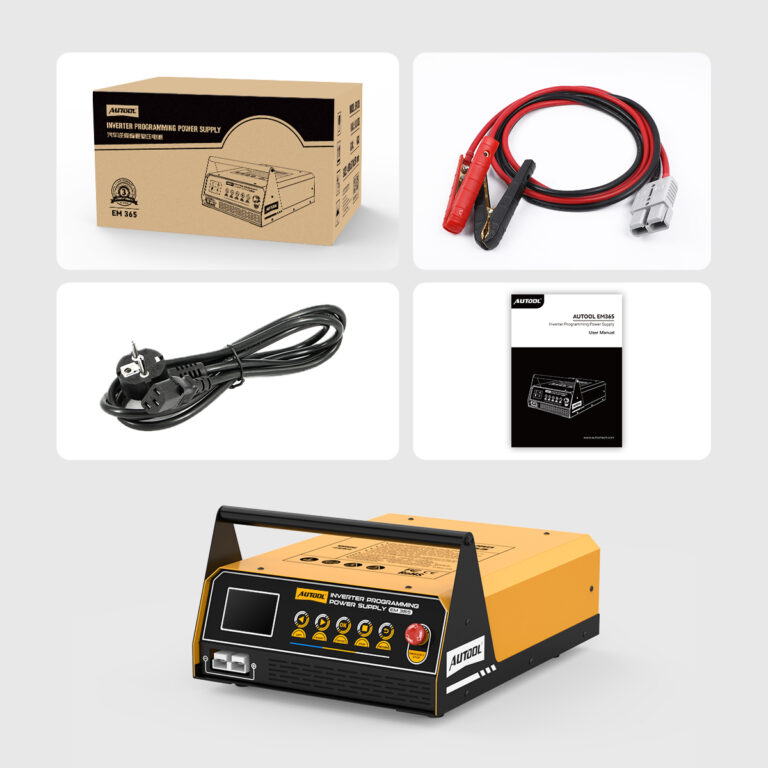
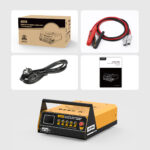
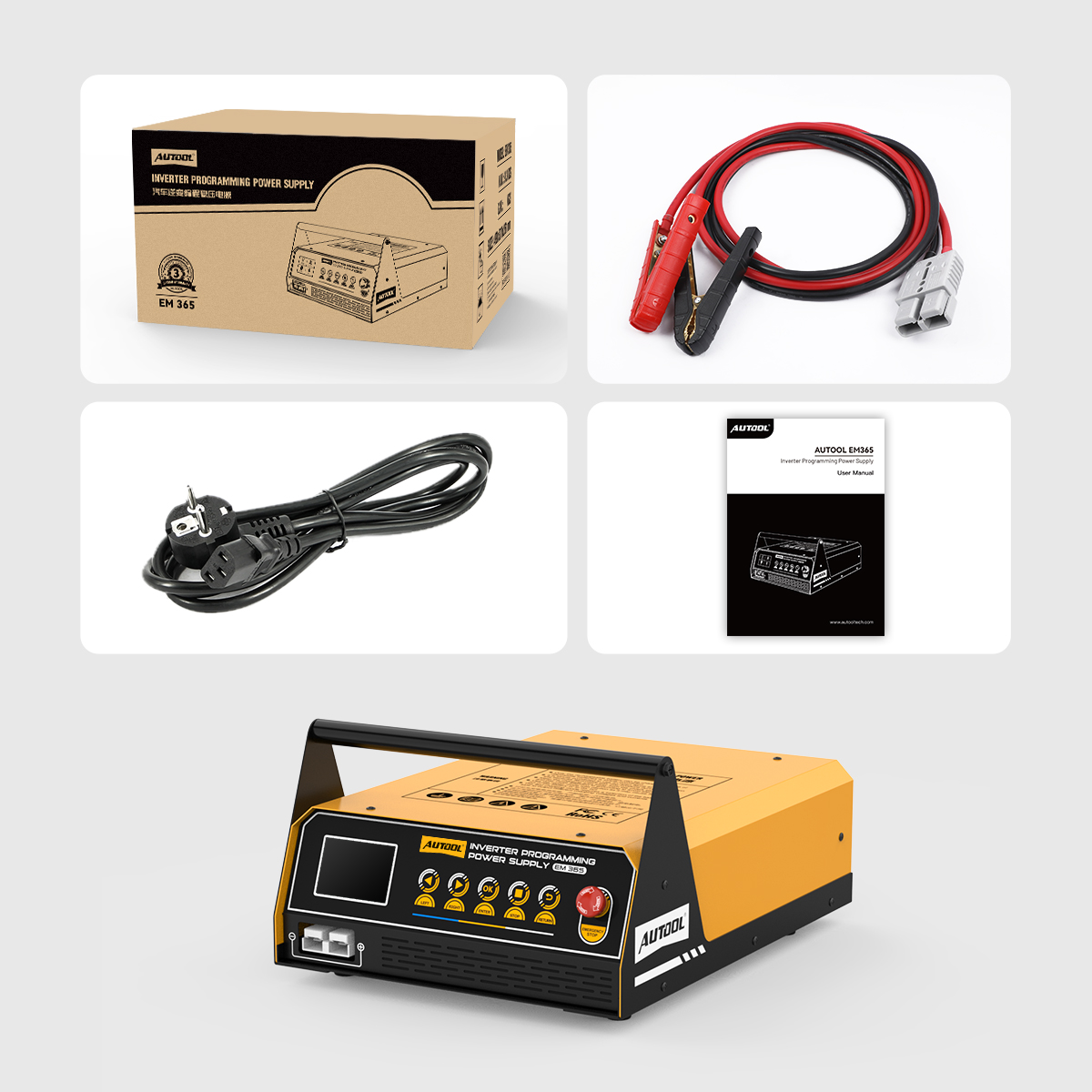
- 主機AUTOOL EM365 inverter programming power supply
- Battery Clamp CableBattery clamp output cable
- 交流電源線Power cable; plug type may depend on selected version
- 文档AUTOOL EM365 user manual
- 零售包裝盒AUTOOL EM365 retail packaging
常見問題
Programming-Power and Charging Questions
Does EM365 Program The ECU Itself?
As an automotive battery support unit, the EM365 supplies power during ECU programming. Use separate programming or diagnostic equipment and follow the vehicle procedure to carry out the ECU work.
Why Use Programming Mode Instead Of Battery Charging?
Programming mode lets you choose a support voltage for the vehicle procedure. Battery Charging follows a charging process that adjusts output as the battery charges. Choose the mode for the job you are doing.
Which Programming Voltage Should I Select?
Use the voltage specified in the vehicle procedure. Adjustable Mode lets you select the required setting; Fixed Mode supplies 14V when that value is appropriate.
How Long Is The Maximum 150A Output Available?
The manual specifies up to 150A for approximately 3 minutes in programming mode. At an internal temperature of 70°C, maximum current is reduced to 50A; it returns to the maximum when the unit cools to 50°C. Match the job to its output and duration requirements.
How Do I Follow Battery Charging?
Select the correct battery type and charging location, then follow voltage, current, and charging progress on the screen. The unit indicates when charging is complete.
Can Battery Restoration Help A Long-Idle Battery?
It provides a treatment option for discharged or long-idle lead-acid batteries. Results depend on condition and sulfation. Use Battery Restoration with the battery removed from the vehicle.
How Is Vehicle Display Mode Different From Charging?
Display mode maintains a float charge and responds when vehicle loads discharge the battery, with up to 40A in this mode. Battery Charging follows a charging process with progress and completion information.
What Does Forced Start Do?
It provides 400A/12V momentary starting support. Check the vehicle’s starting requirements, select Forced Start, and follow the displayed instruction to start the vehicle.
When Should I Choose EM385 Instead?
Choose EM385 if you need LFP (LiFePO4) or NCM lithium battery charging, a 4.3-inch touchscreen, or a separate adjustable power supply mode. EM365 supports the listed lead-acid battery types.
Where Can I Check Accessories And Setup?
See Package Contents for the supplied items. Open Manual & Download for the model-specific guide to menus, connections, and operating instructions.
What Warranty Support Is Available?
主機:三年保固。標準配件:一年保固。保固政策。
Nicole-zhang -
I’ve used this unit daily for two weeks at my BMW dealership. It performs flawlessly for battery charging and holding stable voltage during ECU programming. Though the unit is sizable, it’s lightweight and easy to transport or mount anywhere in the shop. What’s more, its cooling fans don’t run overly loud, making it perfectly suitable for workshop use.
Burnell George ✓ 已驗證購買 -
Excelente mesa de herramientas y el estabilizador de voltaje es excepcional…
Excelente mesa de herramientas y el estabilizador de voltaje es excepcional, funciona perfectamente, ya tengo varias herramientas de esta marca y sinceramente la recomiendo.
Theresa Pearson ✓ 已驗證購買 -
物超所值。
物超所值。