
언어 및 통화
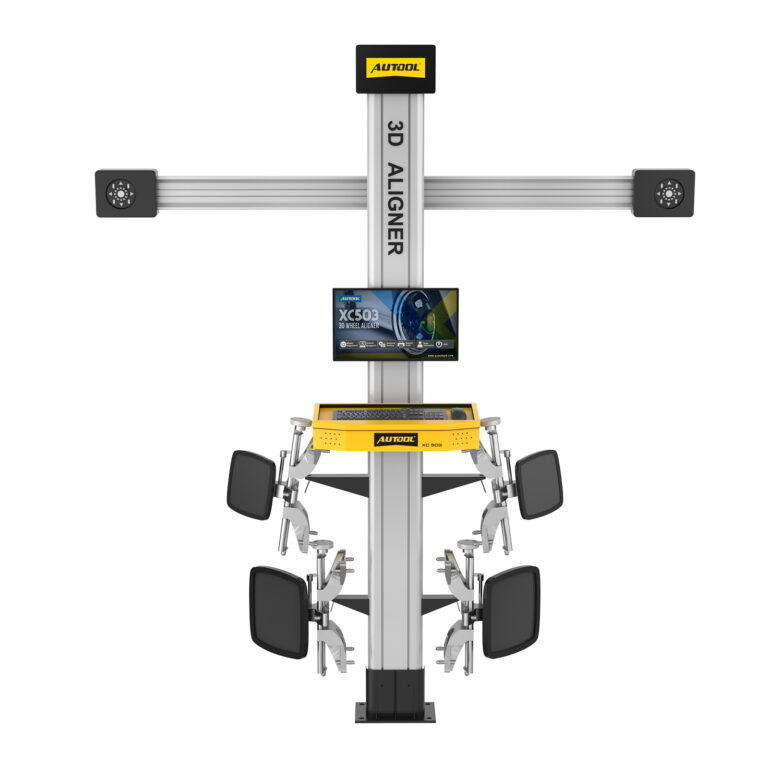
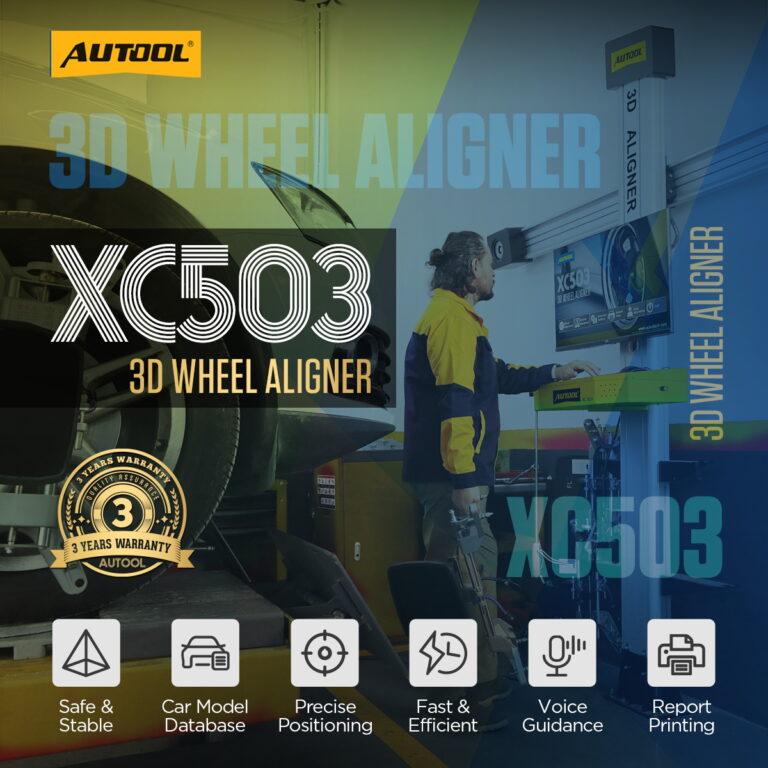



AUTOOL XC503 3D 휠 얼라인먼트 장비
US$4,499.00
주요 특징
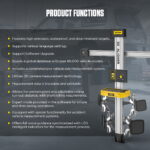
- Fixed-Column 3D Four-Wheel Alignment
- 0.01° Toe/Camber Precision
- Short Rolling Compensation
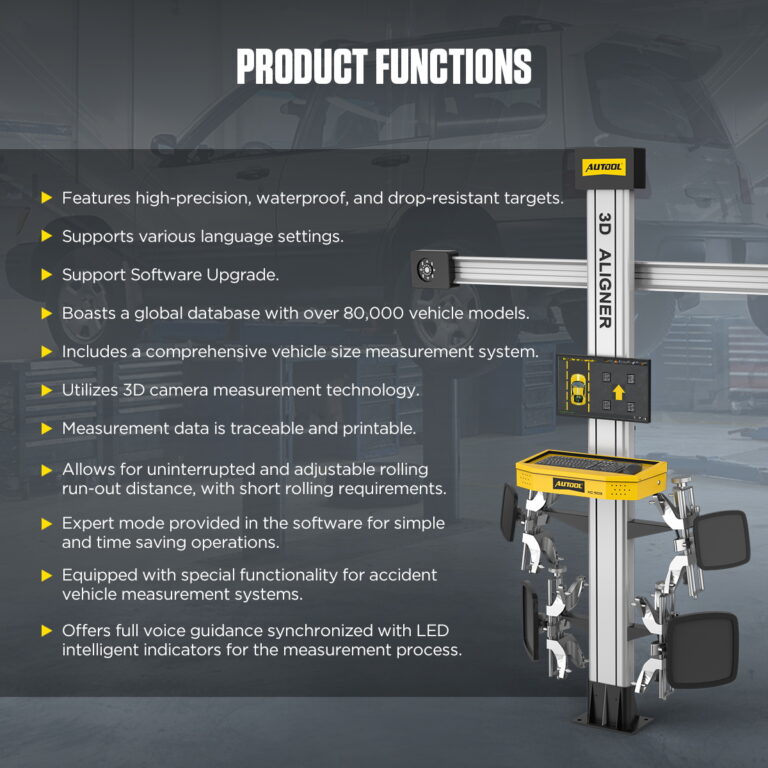
- 100+ Brands / 80,000+ Vehicle Database
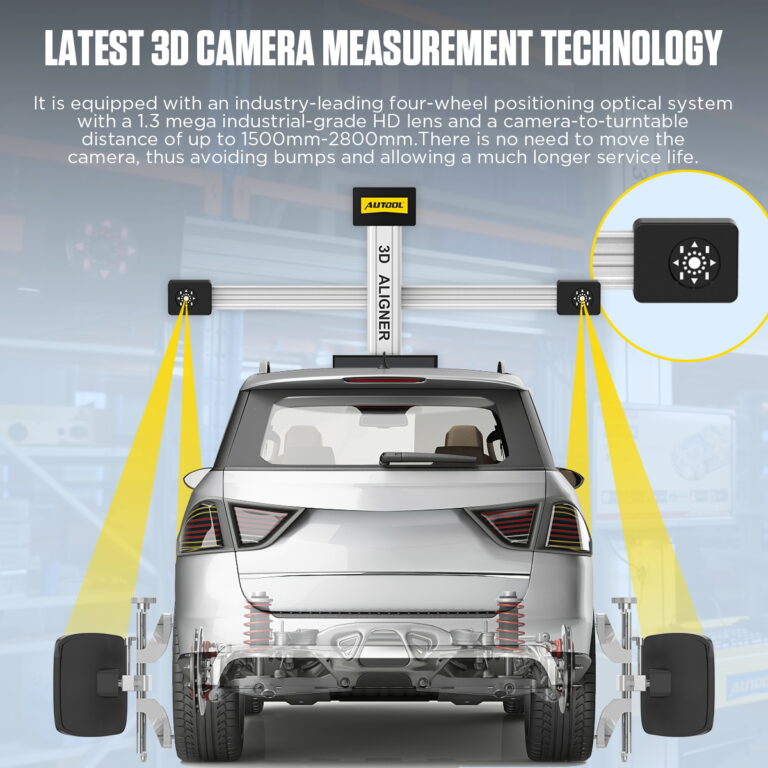
- Fixed-Column 3D Four-Wheel Alignment: Use industrial cameras and passive wheel targets in a fixed-column system to calculate four-wheel alignment data.
- 0.01° Toe/Camber Precision: Measure toe and camber with 0.01° precision for alignment and repeatability planning.
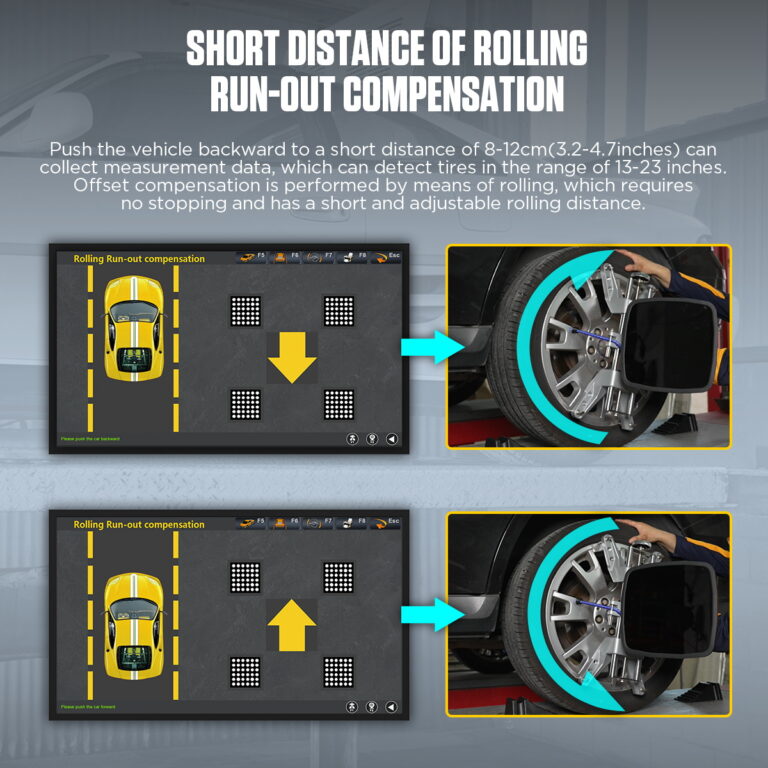
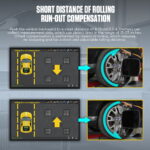
- Short Rolling Compensation: Collect run-out compensation data with an 8–12 cm forward or backward vehicle roll.
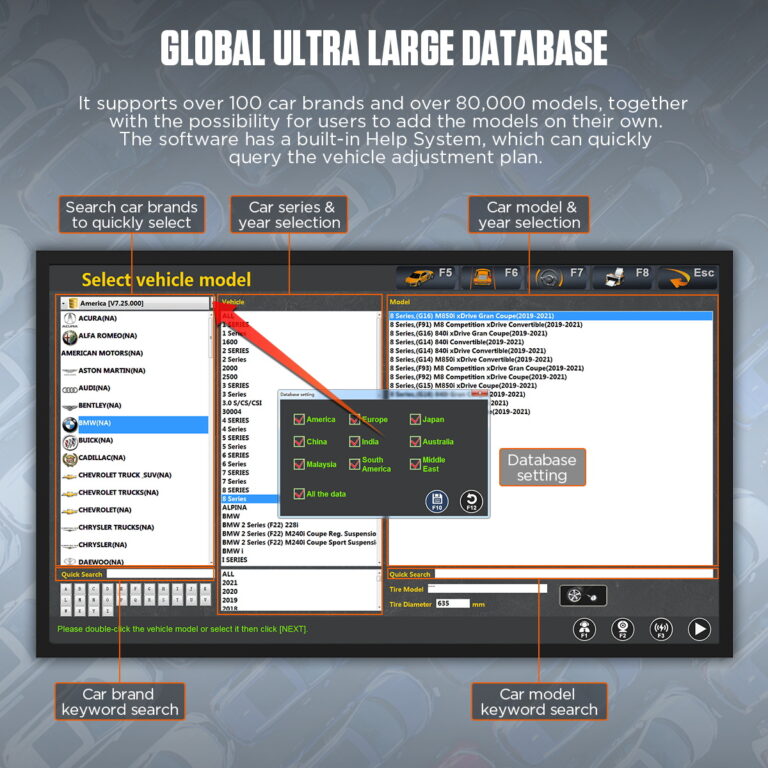
- 100+ Brands / 80,000+ Vehicle Database: Search more than 100 brands and 80,000 vehicle models, with support for user-added records.
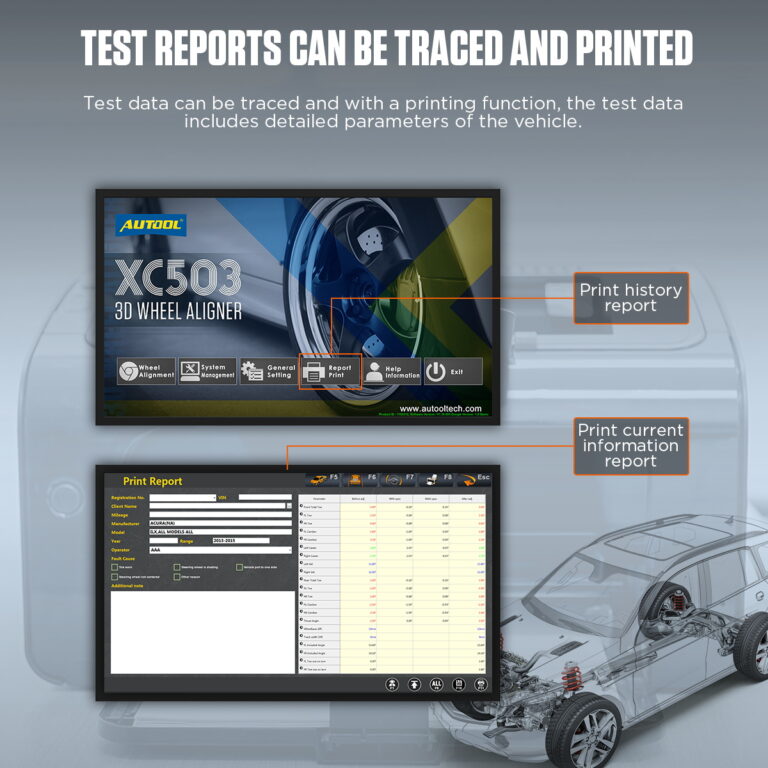
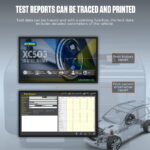
- Traceable Reports: Review historical alignment data, save reports, and print current vehicle results.
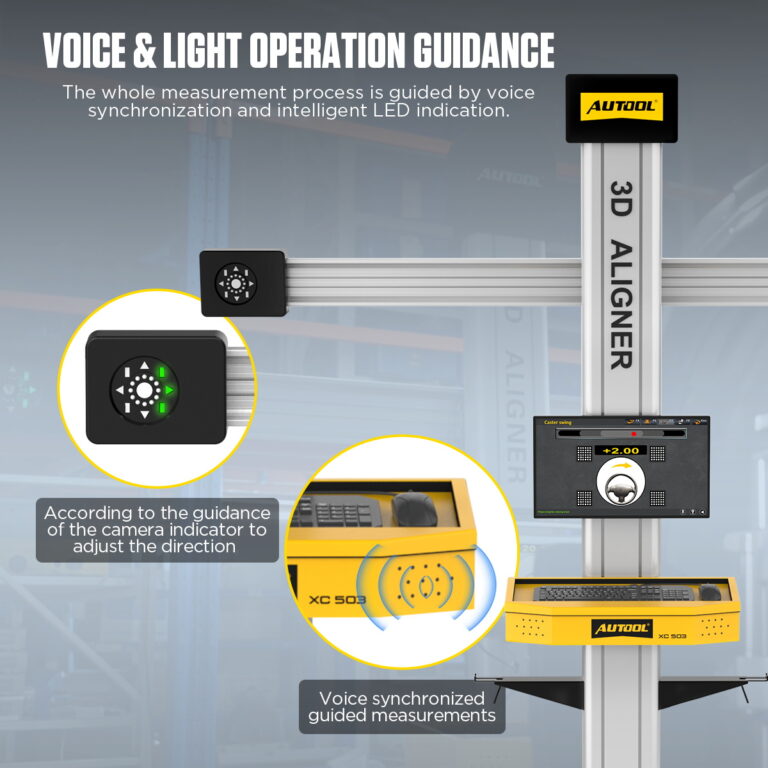
- Voice + LED Guidance: Follow synchronized voice prompts and LED indicators during setup and measurement.
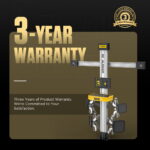
- 3 - 년 보증 본체 3년, 부속품 1년
- 90- 일 반품 90일 이내 반품 가능
- 공식 스토어 정품 · 직접 지원
AUTOOL XC503 · Fixed-Column 3D Wheel Aligner
Measure Alignment with Passive Wheel Targets
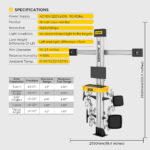
The fixed-column 3D wheel alignment machine measures wheel geometry and body dimensions for the selected vehicle record using cameras and passive targets. Voice and LED guidance support target setup, short rolling compensation, and measurement, while stored history and configured report printing help workshops document alignment results.
- Fixed-Column 3D Cameras
- Passive Four-Wheel Targets
- 8–12 cm Rolling Compensation
- 0.01° Listed Toe / Camber Precision
- Report History + External Printing
주요 특징
Guide 3D Measurement from a Fixed Camera Beam
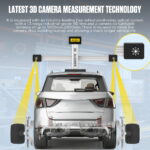
Industrial-Grade 3D Camera Measurement
The system uses an optical four-wheel positioning method with industrial-grade HD camera measurement to capture target images and calculate alignment data.
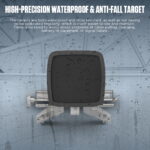
Waterproof Anti-Fall Targets
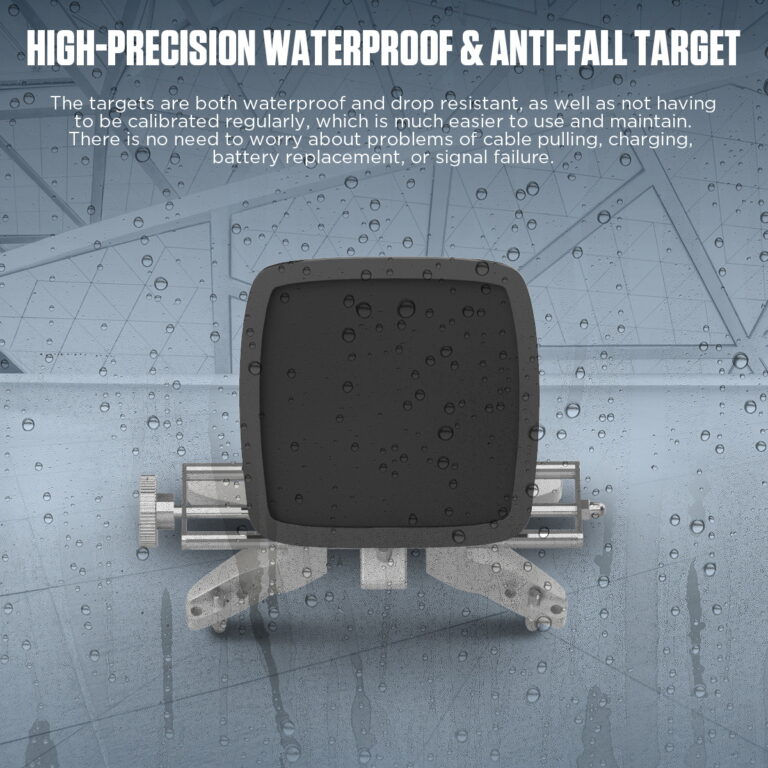
The target design avoids cable dragging, charging, battery replacement, and signal-failure problems common with active target systems.
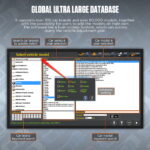
80,000+ Vehicle Database
The software supports over 100 car brands and more than 80,000 vehicle models, with quick search and user-added model support.
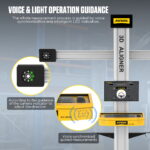
Voice And LED Guidance
Voice synchronization and LED indicators guide the measurement process so technicians do not need to keep watching the monitor during every adjustment.
Traceable Test Reports
The software can review historical data, save reports, print current information reports, and provide detailed vehicle parameter records.
Short Rolling Run-Out Compensation
The system supports short-distance rolling run-out compensation, helping collect measurement data without repeated long rolling movement.
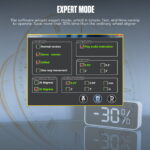
전문가 모드
Expert Mode provides an alternative software workflow for trained technicians performing alignment measurements.
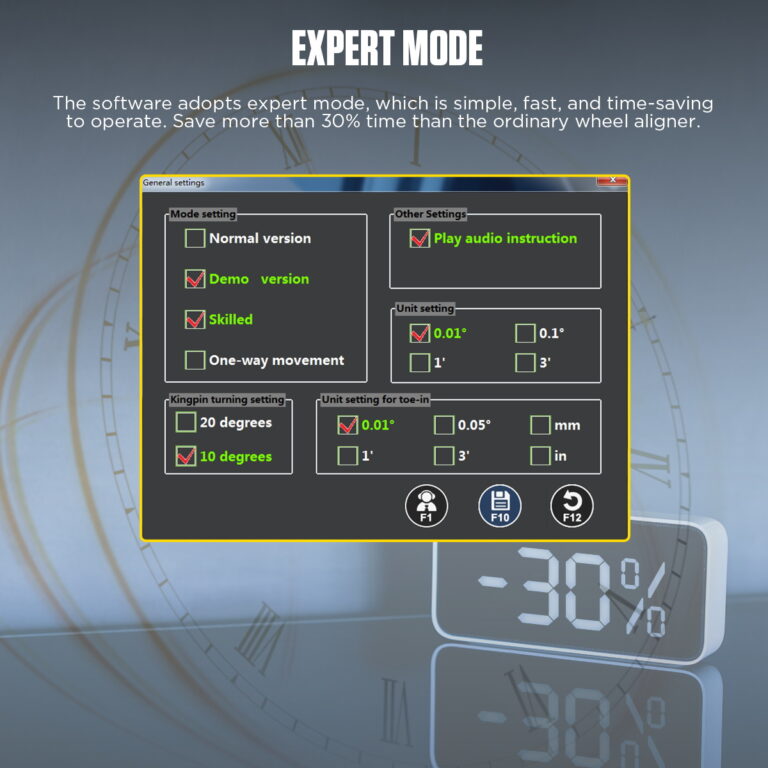
The software includes expert mode settings for faster operation and can save more than 30% of time compared with ordinary wheel aligner workflows under suitable conditions.
다국어 지원
Supports Chinese, English, Spanish, Russian, German, Farsi, Arabic, Lithuanian, Japanese, French, Thai, Portuguese, and Korean.
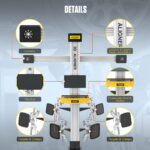
Coordinated Workshop Setup
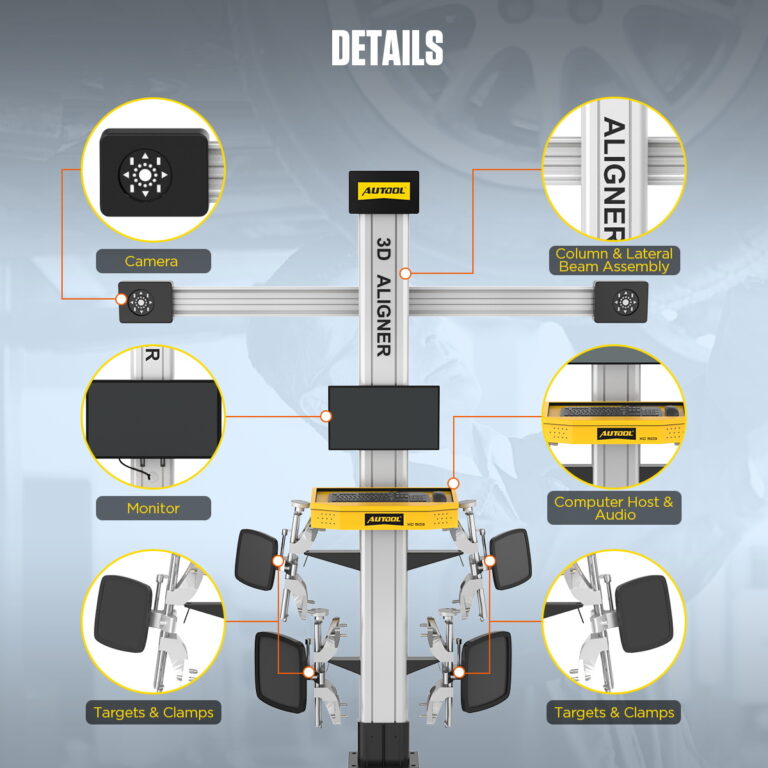
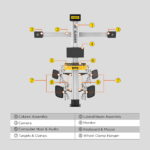
The camera beam, display, computer, and targets form one alignment system. Install it square to the vehicle with the specified working distance and a suitable level lift.
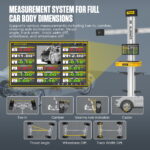
Wheel And Body Measurements
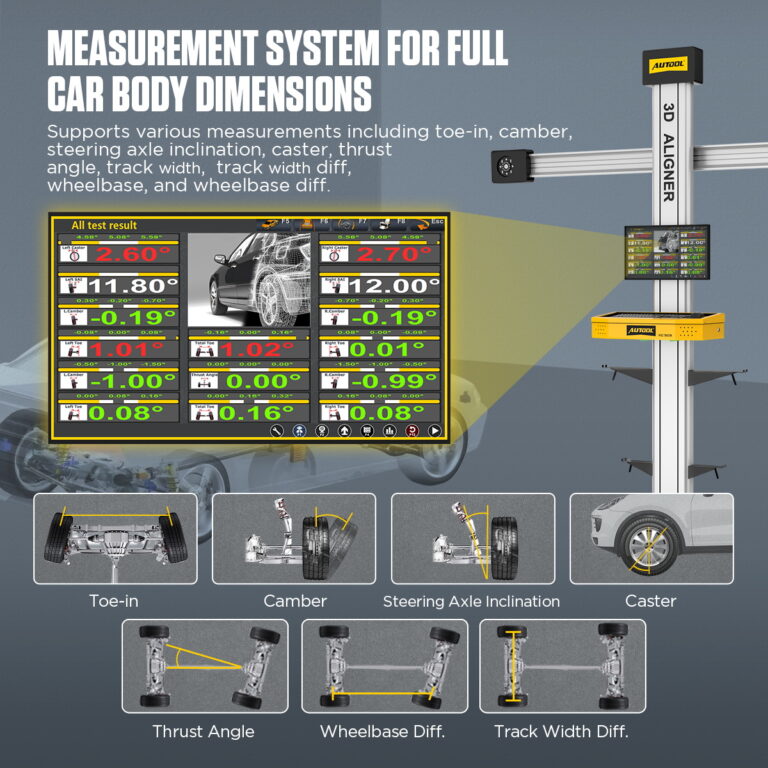
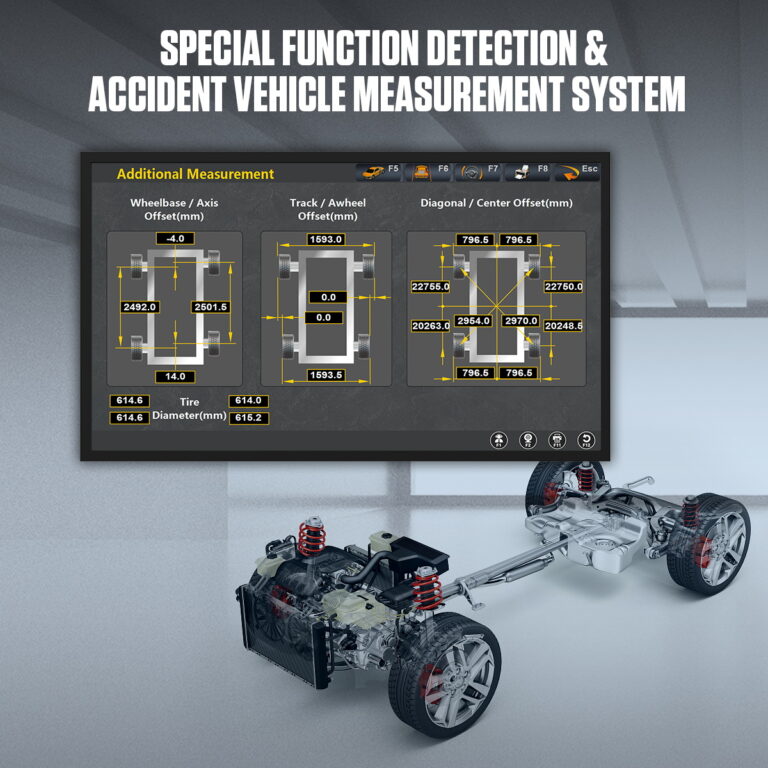
Measure alignment angles alongside wheelbase, track width, and diagonal dimensions to support vehicle geometry checks.
Short Rolling Compensation
An 8–12cm forward or backward roll collects run-out compensation data within the supported setup conditions.
Recurring Alignment Revenue
A 3D wheel aligner helps tire shops complete alignment checks quickly and convert tire service into an additional recurring revenue stream.
워크숍 신청
Suitable for local mechanics and automotive workshops that need repeatable alignment measurement, data review, and printed service reports.
지원되는 차량 유형
The database and measurement workflow support common passenger cars, SUVs, off-road vehicles, and light trucks within the supported rim-size and setup conditions.
Alignment Service Value
Modern vehicles require regular alignment service to reduce tire and suspension wear, improve driving safety, and create a repeatable service opportunity for repair shops, tire shops, and vehicle service centers.
디스플레이 해상도
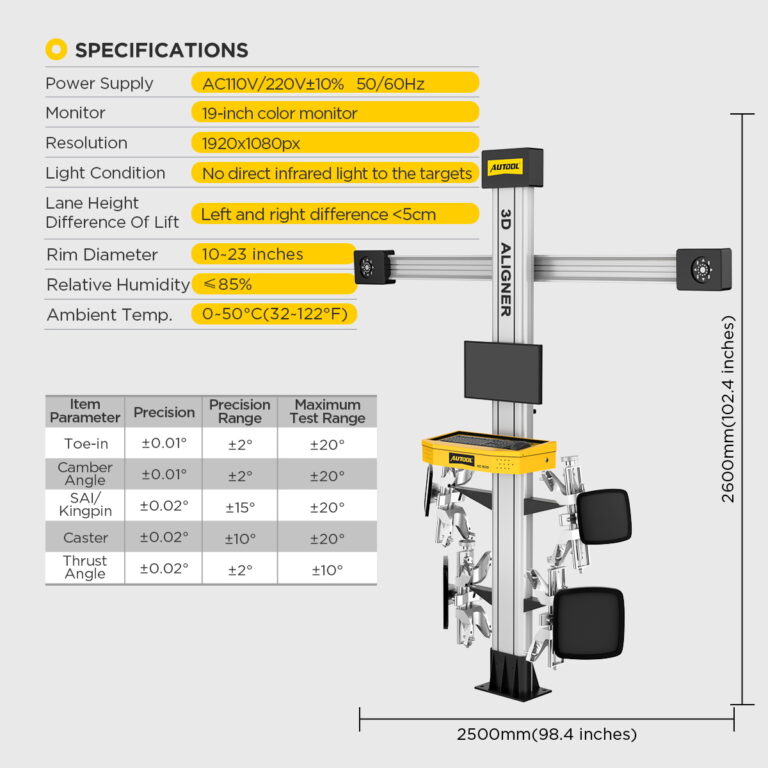
The display resolution is 1920 × 1080.
정렬 정밀도
The listed toe and camber precision is 0.01°.
주위 온도
Operating ambient temperature: 0–50°C.
3년 보증 지원
본체: 3년 보증. 표준 부속품: 1년 보증. 보증 정책.
이용 방법
Set Targets, Measure and Verify Alignment
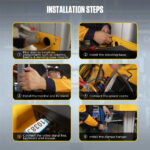
단계별 진행 상황1 / 7
Qualify the Alignment Bay
The 3D camera system records the target images installed on the wheels and calculates alignment values through image sensing.
Confirm lift or pit geometry, turn plates and slip plates, rolling space, target sightline, power, lighting and installation dimensions.
Published guidance mentions compensation for minor floor unevenness up to 5mm. Because setup references differ, use the stricter requirement and confirm lift levelness before service.
Keep the aligner about 2m-2.2m from the vehicle as the vehicle requires, and maintain the correct 90° measuring position.
Inspect and Identify the Vehicle
Select vehicle brand, series, model, and year from the built-in database. The software also includes database setting and keyword search functions.
Check tire condition and pressure, wheel and suspension condition, ride height and required load, then select the exact vehicle, year and specification.
Mount Clamps and Targets
Avoid direct infrared light, direct sunlight, and strong reflective light hitting the targets or cameras during measurement.
Center and secure the compatible clamps and targets on clean wheel interfaces and keep every target visible to the cameras.
04
Complete Run-Out Compensation
Perform the equipment and vehicle procedure for rolling or run-out compensation before using the displayed geometry.
05
Measure and Interpret
Read toe, camber, caster, thrust and body measurements that apply to the selected vehicle, and distinguish adjustable geometry from damaged or non-adjustable parts.
06
Adjust and Complete Vehicle Procedures
Make permitted mechanical adjustments and perform any vehicle-specific SAS, EPAS or ADAS procedure with the required separate diagnostic or calibration equipment.
07
Remeasure and Report
Repeat the measurement under the same setup, check steering-wheel position and save or print the before-and-after report.
안전성 및 호환성
Check Bay Geometry, Sightlines and Calibration
Use a Qualified Alignment Bay
Install the system on the specified stable, level bay with the required lift, clearance, lighting, power and target sightline.
Inspect Clamps and Targets
Check clamp contact, target condition and mounting security before every measurement.
측정 시스템을 검증합니다.
Follow installation, movement, impact, repair and scheduled verification or calibration requirements for the cameras and complete system.
Lock Vehicle and Database Identity
Select the exact vehicle, year, load condition, units and current database version before measurement, then apply the vehicle procedure.
Keep Electronic Closeout Separate
Complete wheel-geometry measurement first, then perform any required SAS, EPAS or ADAS calibration with the specified equipment and vehicle procedure.
Verify the Final Result
Repeat the measurement, review the report and complete the specified steering-wheel, offset, road-test or other vehicle checks.
워크숍 공간 요구 사항
XC503 supports flexible workshop setup, but it is not a no-space device. Keep the proper 2m-2.2m vehicle distance and enough space around the lift for safe operation.
Target Lighting Conditions
Do not let direct sunlight, direct infrared light, or reflective light hit the targets or cameras, because image sensing depends on clean target recognition.
Stable Dry Placement
Do not place the wheel aligner on a vibrating object or oblique surface. Avoid moisture and water splashing on the system.
Clamp Range Check
Confirm the supplied XC503 clamp range before purchase. Do not plan 24-inch work unless the selected clamp is explicitly rated for it.
Packing List Check
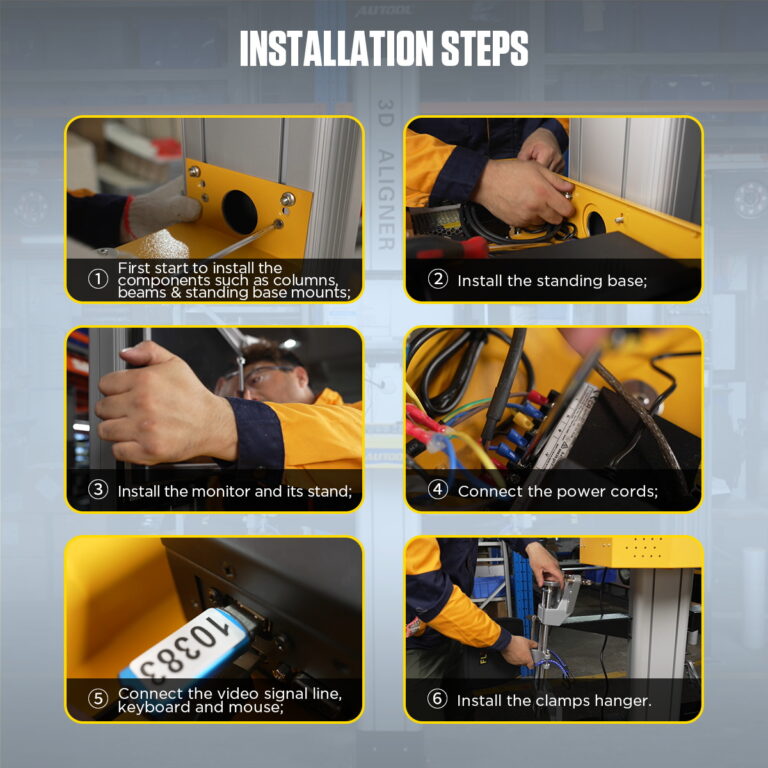
Check the packing list before installation. Contact support if any part is missing, damaged, or unclear before assembling the unit.
결과
Verify Readings Before Vehicle Release
Verify the Result
Review the final live readings, steering-wheel position and printout after all adjustments are complete.
모델 비교
Choose Camera, Workstation and Report Setup
모델 가이드
Choose one or more models. XC503 is selected by default.
1개 모델이 선택되었습니다.
선택된 모델이 없습니다. 비교할 모델을 선택하세요.
| 제품명 | XC503 | XC505 | XC508 |
|---|---|---|---|
| Vehicle Fit & Site Conditions | |||
| 조명 요구 사항 | Not direct infrared light to the targets | Not direct infrared light to the targets | Not direct infrared light to the targets |
| Measurable RIM Size | 13 "-23" | 13 "-23" | 13 "-23" |
| Lift Platform Height Difference | <5mm | <5mm | <5mm |
| Measurement & Guidance | |||
| High-Precision, Waterproof and Drop-Proof Targets | ✓ | ✓ | ✓ |
| Voice Light Operation Guidance | ✓ | ✓ | ✓ |
| Latest 3D Camera Measurement Technology | ✓ | ✓ | ✓ |
| Short Distance Runout Compensation | ✓ | ✓ | ✓ |
| 전문가 수준 | ✓ | ✓ | ✓ |
| Body Size Measurement System | ✓ | ✓ | ✓ |
| 테스트 데이터 검토 | ✓ | ✓ | ✓ |
| Workstation Hardware | |||
| 모바일 워크 스테이션 | ✓ | ✓ | ✓ |
| 프린터 기능 | ✓ | ✓ | ✓ |
| 내장형 프린터 | × | × | ✓ |
| Smart Elevator Tracking System | × | × | ✓ |
| 디스플레이 | 1 (32 inch) | 1 (32 inch) | 2 (32 inch)+(20 inch) |
| 서랍 | × | ✓ | ✓ |
| Software, Database & Languages | |||
| Global Very Large Database | Database coverage: ask for the current vehicle list | Database coverage: ask for the current vehicle list | Database coverage: ask for the current vehicle list |
| Software Free Updates | ✓ | ✓ | ✓ |
| Database Free Updates | ✓ | ✓ | ✓ |
| 다국어 지원 | Chinese, English, Spanish, Russian, German, Farsi, Arabic, Lithuanian, Japanese, French, Thai, Portuguese, Korean | Chinese, English, Spanish, Russian, German, Farsi, Arabic, Lithuanian, Japanese, French, Thai, Portuguese, Korean | Chinese, English, Spanish, Russian, German, Farsi, Arabic, Lithuanian, Japanese, French, Thai, Portuguese, Korean |
사용 설명서 및 지원
Confirm Bay, Software and Hardware Setup
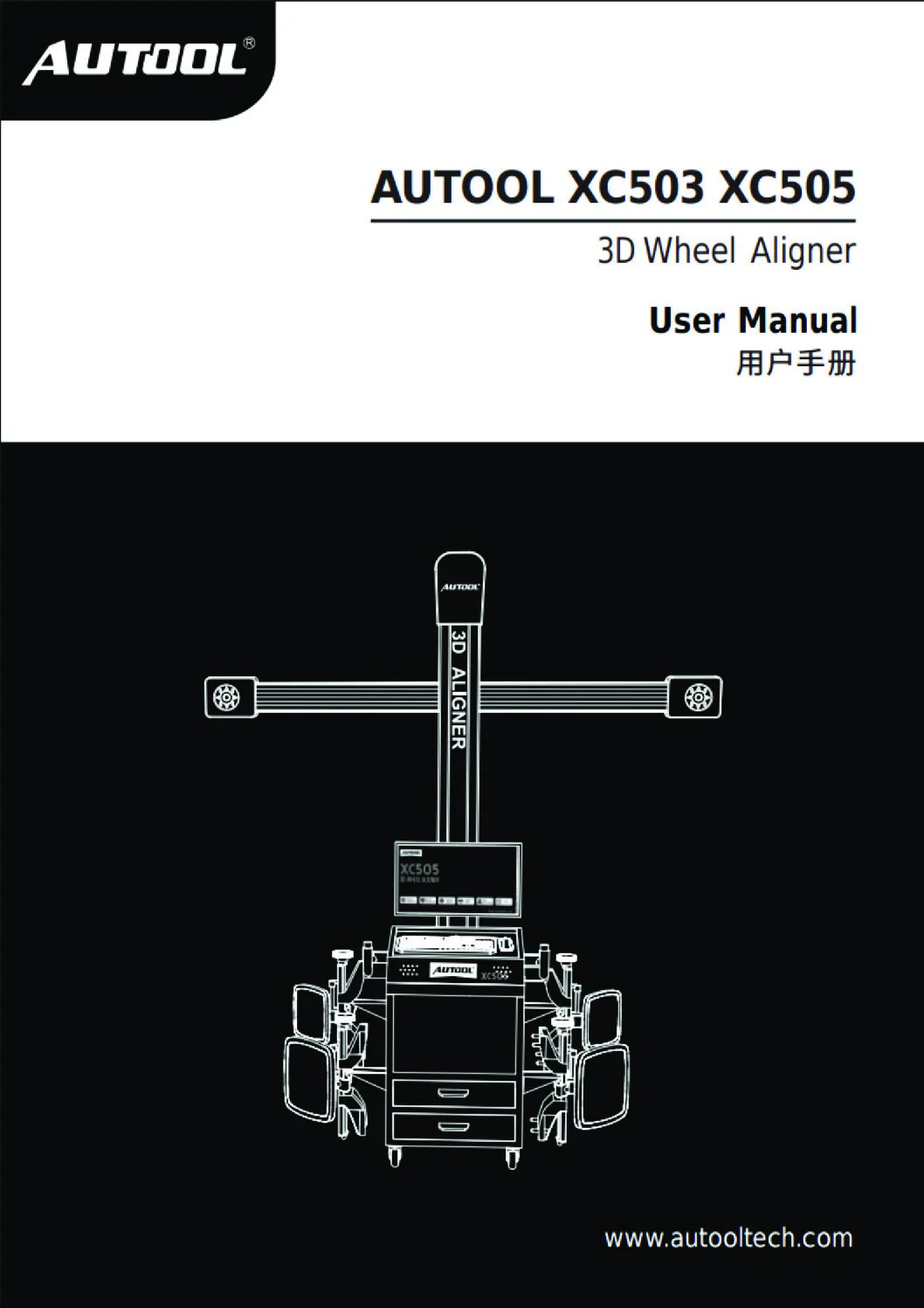
AUTOOL XC503 User Manual
Open the PDF manual for XC503 target setup, rolling compensation, alignment measurement and report handling, with calibration safety and troubleshooting support.
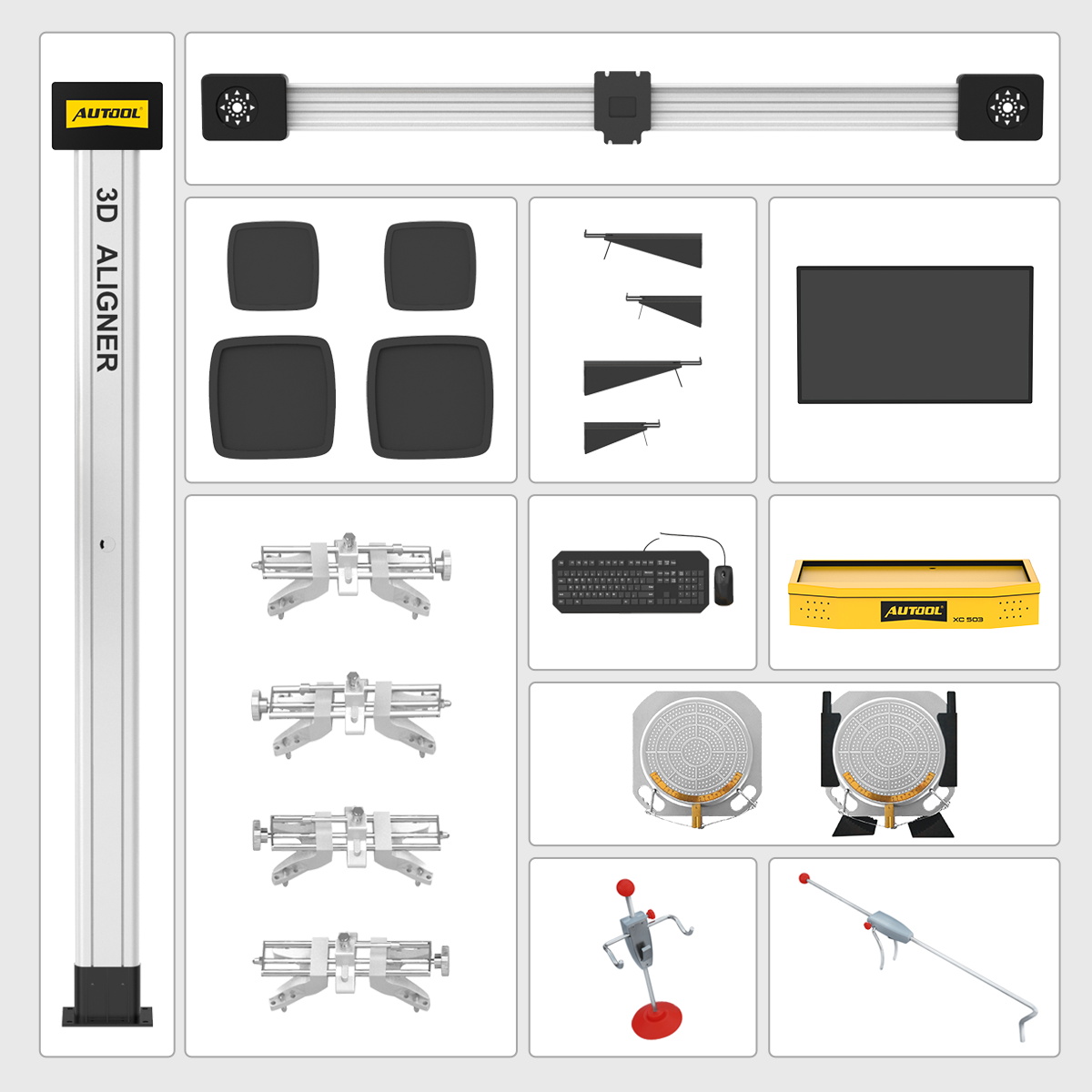
패키지 내용물
Check the Selected Hardware Package
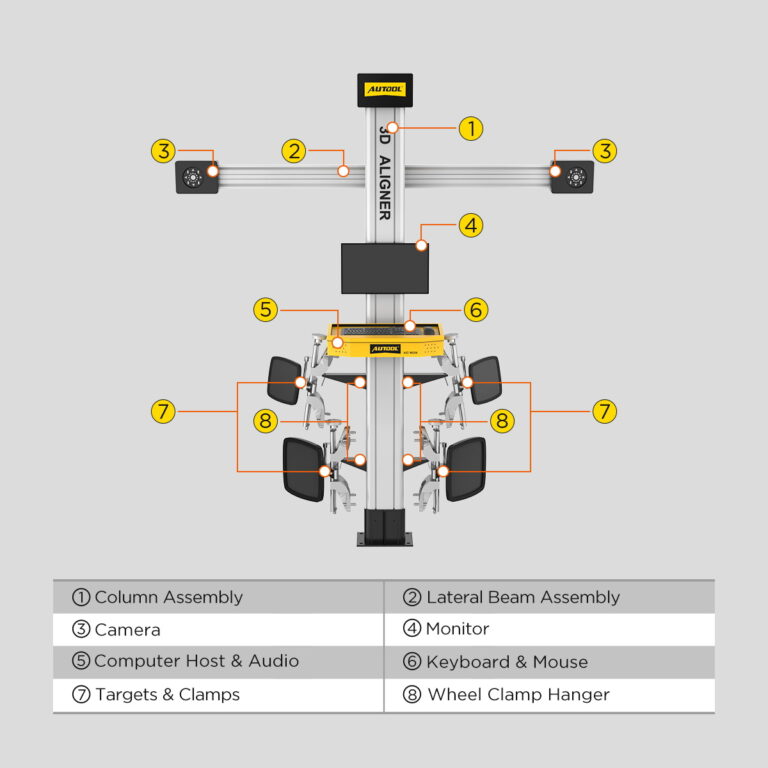
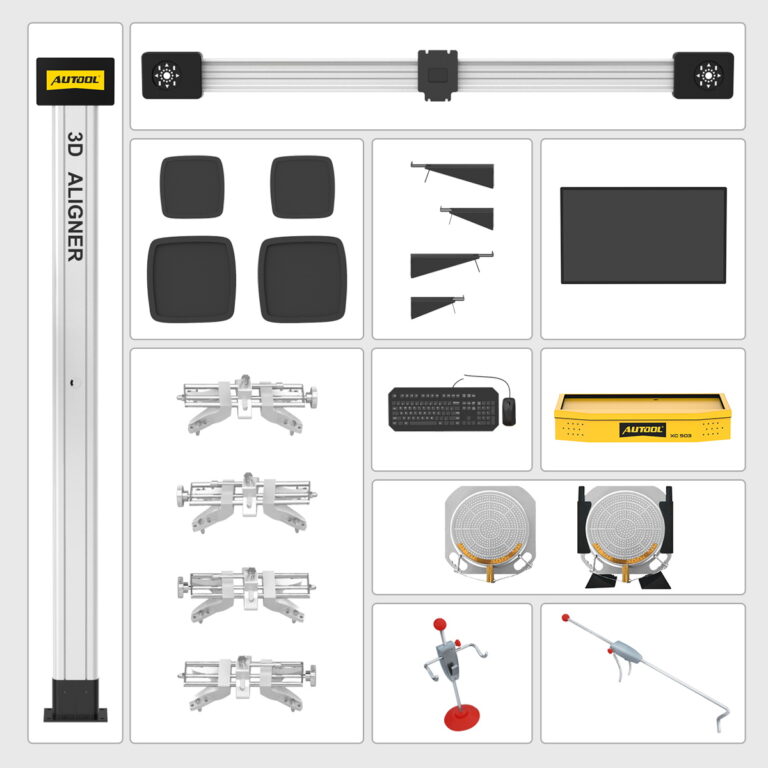
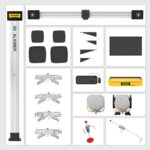
- 주요 구조Column assembly, lateral beam assembly, cameras, monitor, and XC503 computer host / audio unit.
- 입력 장치키보드와 마우스.
- 휠 도구Wheel alignment targets, wheel alignment clamps, wheel clamp hangers, and wheel clamp assemblies.
- Turntables / PlatesTurntable-style plates and related wheel alignment accessories.
- 홀딩 도구Brake pedal depressor / steering wheel holder style tools.
- 최종 점검Confirm the selected accessory set before shipment or installation.
자주 묻는 질문
Alignment Setup and Coverage Questions
What Wheel Size Does XC503 Support?
Published specifications list 10–23 inches and the comparison chart lists 13–23 inches, while fitment guidance also discusses 24-inch wheels. Confirm the exact clamp, rim range, and vehicle package before ordering for a 24-inch application.
What Distance Should Be Kept Between XC503 And The Vehicle?
Depending on the vehicle model, adjust the distance between the XC503 wheel aligner and the vehicle to about 2m-2.2m. Keep the measuring position square to the vehicle according to the setup diagram and manual guidance.
Will A Slightly Uneven Workshop Floor Affect Calibration?
Use a stable, level alignment bay and verify the lift at every working height. The published platform-difference field is under 5 mm; obtain the installation drawing and acceptance method for the actual bay rather than relying on software compensation for an unsuitable surface.
Does The Adjustment Order Matter During Wheel Alignment?
Yes. Start proper wheel alignment at the rear. Establish the geometric centerline from the rear and move forward before making other wheel adjustments. This thrust process is important because incorrect thrust can affect other measurements and lead to an improperly aligned vehicle.
Follow the selected vehicle procedure and the alignment software sequence. Establish the vehicle’s thrust reference, inspect damaged or non-adjustable parts and remeasure after permitted adjustments; any SAS, EPAS or ADAS closeout remains a separate vehicle procedure.
Do You Provide Local On-Site Training Or Repair Service?
Local on-site repair service may not be available in every country. AUTOOL Store provides online technical support, detailed video tutorials, installation and use guidance, and responsive assistance. If you encounter a problem, contact support and provide photos or videos so the team can help diagnose the issue. XC503 is calibrated before shipment and can be installed and used according to the manual without extra camera adjustment.
Before ordering, confirm local installation, calibration, operator training and fault-recovery support for your country.
What Should I Check If The Computer Cannot Boot?
- Check the computer power supply.
- Confirm that you have pressed the power button on both the computer host and the monitor.
- Check whether any indication LED is flashing.
- Check the brightness and contrast settings of the monitor.
- If the problem remains, contact support with photos or videos of the power connection and screen status.
What If The System Cannot Enter The Windows Desktop?
This may be caused by a missing computer boot file, BIOS error, or hardware failure. Do not repeatedly disassemble the host. Record the error screen and contact support for the next diagnosis step.
What If The Mouse, Keyboard, Or Printer Does Not Work?
- For mouse or keyboard issues, first check the connection to the computer host, then check compatibility and possible device failure.
- For printer issues, check the printer power supply, signal cable connection, link mode, driver installation, printer settings, and whether the computer system is affected by a virus or software issue.
What If The Wheel Aligner Software Cannot Run?
The issue may be caused by missing software core files or a registry error. Do not randomly delete or reinstall files before contacting support. Record any error prompt and contact AUTOOL Store support for software recovery guidance.
How Do I Update The XC Series Vehicle Database?
사용 AUTOOL XC Series Database Installation Kit provided in the Download section. The Oct. 2025 update is Version V7.47.000 and updates vehicle data for domestic, overseas China region, and other regions. If you are not sure how to install the update, contact support before changing software files.
Use the software package listed for the exact XC model and installed version. Back up the current installation, confirm representative vehicle coverage and follow AUTOOL update instructions before replacing database or program files.
What Is The Difference Between XC503, XC505, And XC508?
XC503 uses a fixed-column layout with one 18.5-inch display and no drawer, printer, or smart elevator tracking. XC505 adds a mobile cabinet workstation with drawer storage. XC508 adds automatic camera-height tracking, a built-in printer, two 19-inch displays, a drawer, and a more advanced mobile workstation; confirm the delivered displays, clamps, targets, printer, and software package in the quotation.
보증 기간은 얼마나 되나요?
본체: 3년 보증. 표준 부속품: 1년 보증. 보증 정책.
Darlene Jefferson ✓ 구매 확인 완료 -
I'm a race car workshop user and have purchased two XC503s.
I’m a race car workshop user and have purchased two XC503s. I’m very satisfied with AUTOOL’s product and service. I compared the old and new models and can’t say enough, AUTOOL is constantly improving, striving for better quality and more features. I’m very satisfied!
소굴 ✓ 구매 확인 완료 -
우수한
I have been looking for a reliable and easy to use wheel alignment machine. We bought this wheel alignment machine a few months ago and it has exceeded our expectations.
Rich X. ✓ 구매 확인 완료 -
Very nice machine.
The machine was received in perfect condition and Tina, who was contacted by the machine’s functions that would not work, was very responsive in helping me with the process.